
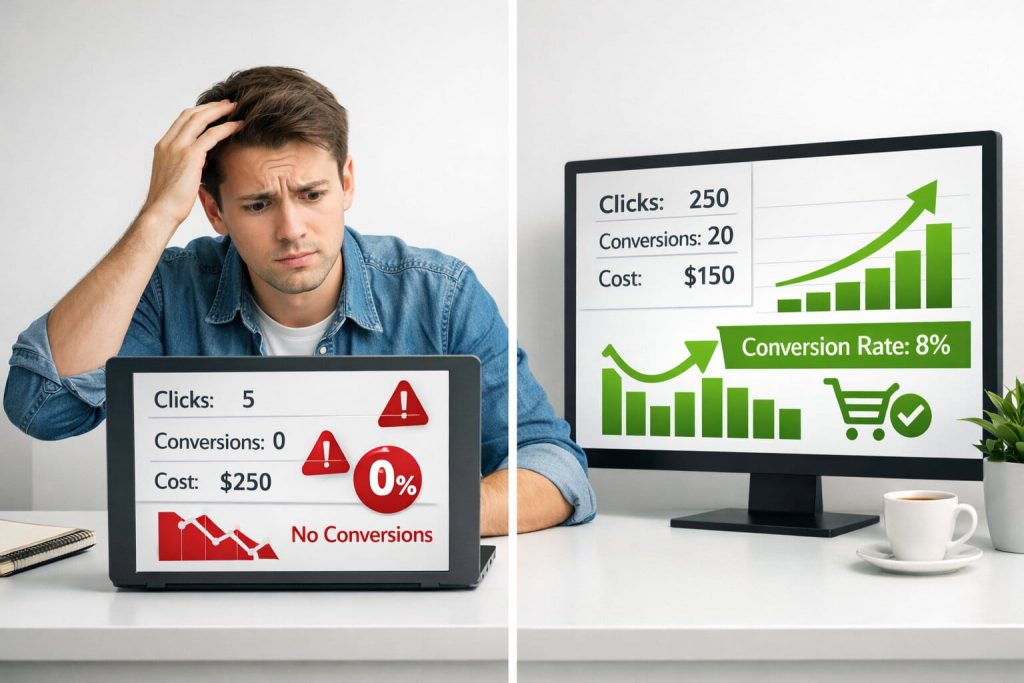
Every business owner who has tried paid advertising for the first time knows the feeling. You spend hours setting up your campaign, carefully choose your images, write what you think is a compelling headline, set a budget, and hit publish. Then you wait. A few days later, you check your results and find a handful of clicks, zero conversions, and a noticeably lighter bank account. It is one of the most discouraging experiences in digital marketing, and it happens to almost everyone at the start.
Here is the truth that no one tells beginners: the problem is rarely the platform itself. Google Ads, Facebook Ads, and other paid channels genuinely work, and businesses of every size use them to grow profitably every single day. The difference between those businesses and the ones burning money without results almost always comes down to a handful of specific, avoidable mistakes. The good news is that once you know what those mistakes are, fixing them is entirely within your reach.
In this article, we will walk through the most common mistakes beginners make in paid advertising, explain exactly why they happen, and give you practical, actionable steps to correct each one. Whether you are running your first Facebook campaign or trying to make sense of Google Ads, this guide will help you stop wasting budget and start seeing real results.
Mistake #1: Skipping Audience Research Before Launching
One of the fastest ways to waste an ad budget is to launch a campaign without a clear picture of who you are trying to reach. This is the single most common mistake beginners make, and it is easy to understand why. When you believe in your product or service, it feels natural to assume that it appeals to a wide range of people. So you select a broad audience, set your targeting to something like adults aged 18 to 65 in your country, and let the ads run. Within days, your impressions are high, your clicks are negligible, and your conversions are nonexistent.
The problem is that paid advertising platforms are precision tools, not billboards. They are designed to put your message in front of specific people who are most likely to take action, but only if you tell them who those people are. Without defined targeting, the algorithm has nothing useful to optimise toward, and your budget gets distributed across an enormous pool of largely uninterested users.
Why This Happens
Beginners often skip audience research because they are eager to launch quickly, or because they find the targeting options inside platforms like Meta Ads Manager genuinely overwhelming. There are hundreds of interest categories, demographic filters, and behaviour-based options available, and without a starting point, it is tempting to simply ignore them and hope for the best.
How to Fix It
The most effective starting point for audience research is not inside the ad platform at all. It is looking at your existing customers. If you have even a small base of paying clients, look for patterns. What industries do they work in? How old are they? What problems brought them to you? If you do not yet have customers, think carefully about the single person who would benefit most from what you offer, then build your targeting around that profile.
Once you have a rough picture of your ideal customer, use the platform’s own research tools to refine it:
- Facebook Audience Insights lets you explore the interests, behaviours, and demographics of people connected to your Page or similar pages.
- Google’s Audience Manager shows you affinity categories and in-market segments, helping you understand the mindset of people likely to convert.
- Start with a narrower, well-defined audience rather than a broad one. It is far easier to expand targeting that is working than to rescue targeting that is not.
- Test two or three different audience segments simultaneously so you can identify which group responds best to your ads.
Mistake #2: Choosing the Wrong Campaign Objective
When you create a new campaign on any major ad platform, one of the first things you are asked to do is select an objective. This single decision shapes everything that follows: which users see your ads, how the algorithm bids on your behalf, and what actions the platform tries to optimise for. Choosing the wrong objective is like asking a taxi driver to take you north when you actually want to go south. You will end up somewhere, but it will not be where you intended.
This mistake is surprisingly common because the objective options often use different language across platforms, and their implications are not always obvious. A beginner might select a Traffic objective because they want more people to visit their website, not realising that the algorithm will then find users who are likely to click, not users who are likely to buy. The result is plenty of website visits with very few purchases.
Understanding the Funnel
Every campaign objective corresponds to a stage in the customer journey. Awareness objectives are designed to get your brand in front of as many people as possible. Consideration objectives, like traffic, video views, or lead generation, are designed to engage people who are already somewhat interested. Conversion objectives are designed to find people who are ready to take a specific action, such as making a purchase or filling out a form.
The mistake most beginners make is running a Conversion campaign when they have not yet installed the tracking pixel that tells the platform what a conversion is, or conversely, running a Traffic campaign when their actual goal is sales. Neither will deliver good results.
How to Fix It
Before you open the ad platform, decide on one clear goal for your campaign. Then select the objective that most directly corresponds to that goal. As a general rule:
- If you want more people to discover your brand and you are not concerned with immediate action, choose Awareness or Reach.
- If you want people to watch a video, read an article, or sign up to a newsletter, choose a Consideration objective such as Traffic or Engagement.
- If you want people to buy something, book an appointment, or submit a form, always choose a Conversion objective, and make sure your tracking is set up first.
- Avoid using the Boost Post button on Facebook for anything other than increasing simple social engagement. It is not designed for driving sales or leads.
Mistake #3: Sending Traffic to a Weak or Mismatched Landing Page
Your advertisement has one job: to get someone curious enough to click. From the moment they click, your landing page takes over, and its job is to convert that curiosity into action. Many beginners put enormous effort into crafting their ad and almost no effort into where the ad actually sends people. This is like spending money decorating the entrance to a restaurant while ignoring the fact that there are no tables, no menu, and no staff inside.
The most common version of this mistake is sending paid traffic directly to a homepage. Homepages are designed to do many things at once. They introduce your brand, explain your services, point to your blog, and link to your contact page. That breadth of purpose is exactly what makes them terrible conversion destinations. A visitor arriving from a paid ad needs to land on a page that speaks directly to the promise made in the ad, with a single, obvious next step.
The Message Match Problem
A concept called message match is critically important here. If your ad says, ‘Get 30% off your first order today,’ the landing page must immediately reinforce that exact offer. If the visitor arrives and sees a generic homepage with no mention of the discount, they will feel confused or misled, and they will leave. Studies consistently show that mismatched messaging between ads and landing pages is one of the primary reasons for high bounce rates and poor conversion rates in paid campaigns.
How to Fix It
Create a dedicated landing page for every campaign you run. This does not need to be complicated. A single page with a compelling headline, a brief description of the offer, a clear visual, and one call-to-action button is often enough. When building or evaluating your landing page, keep the following principles in mind:
- Match the headline of your landing page to the key message in your ad. The visitor should feel an immediate sense of continuity.
- Remove navigation menus and other links that could distract the visitor from converting. Fewer choices lead to more action.
- Make sure the page loads in under three seconds. According to Google, 53% of mobile users abandon a page that takes longer than three seconds to load.
- Design for mobile first. The majority of ad clicks on platforms like Facebook and Instagram come from mobile devices.
- Include social proof near the call-to-action button. A short testimonial, a star rating, or a client logo can meaningfully increase conversion rates.
Mistake #4: Setting an Unrealistic Budget and Giving Up Too Soon
Paid advertising is not a vending machine. You do not put money in on Monday and receive sales by Tuesday. Yet this is often how beginners approach their first campaigns, and when the immediate returns do not materialise, they conclude that paid ads do not work and stop the campaign prematurely. In doing so, they abandon the process just before it might have started to deliver results.
Modern ad platforms use machine learning algorithms to optimise your campaign performance over time. These algorithms need data to learn from: data about who clicks, who converts, what time of day works best, which creative performs better. Gathering this data takes time and budget. When campaigns are paused too early, or when the budget is so small that the algorithm barely gets any impressions, that learning process never completes.
The Learning Phase
Facebook and Meta explicitly refer to this as the Learning Phase. When you launch a new ad set, the platform actively experiments to find the best people to show your ads to. This phase typically requires around 50 optimisation events, such as link clicks or purchases, before it stabilises. If your budget is too low to generate those events within a reasonable time frame, your campaign will stay stuck in the learning phase indefinitely, performing inconsistently and inefficiently.
Google Ads works similarly. Google recommends giving a new campaign at least two to four weeks and enough daily budget to generate at least ten conversions before making any significant changes. Adjusting bids, pausing ad groups, or changing targeting too early resets the learning process and undermines the very optimisation you are hoping for.
How to Fix It
Think of your first month of advertising as a research investment rather than a direct revenue-generating exercise. You are buying data that will make every future campaign more effective. With that mindset, here is how to approach your budget more strategically:
- Set a realistic minimum test budget. For Meta ads, most experts recommend at least $15 to $30 per day per ad set. For Google Ads, your budget should comfortably cover ten times your target cost per click.
- Commit to running your campaigns for a minimum of four weeks before drawing conclusions. Resist the urge to make major changes during the first two weeks.
- Use Cost Per Acquisition (CPA) as your primary success metric rather than Return on Ad Spend (ROAS). In the early stages, it is more useful to know what you are paying per lead or sale than to focus on overall return.
- Avoid making frequent edits to live campaigns. Every significant change, including audience adjustments, budget increases of more than 20%, and creative swaps, can trigger a new learning phase.
Mistake #5: Writing Weak Ad Copy and Using Poor Creatives
In a world where people scroll through hundreds of pieces of content every day, your ad has approximately one second to earn attention. If the image is generic, the headline is vague, or the first line of copy fails to connect with something the reader actually cares about, they will scroll past and never look back. The quality of your ad creative, meaning both the visual and the written copy, is one of the most significant variables in your campaign’s performance, and it is one that beginners consistently underestimate.
The most common creative mistake is making the ad about the product rather than the customer. Beginners tend to write copy that describes what they sell. Effective advertisers write copy that describes the customer’s problem and positions their product as the solution. This is not a subtle distinction; it is the difference between an ad that feels like a sales pitch and an ad that feels personally relevant.
Common Copy Mistakes to Avoid
Before looking at what works, it is worth being specific about what does not:
- Leading with product features rather than customer outcomes. Nobody cares that your software has 47 integrations; they care that it will save them two hours every day.
- Writing a headline that is generic or unclear. Headlines like ‘Check Out Our Services’ give the reader no reason to stop scrolling.
- Failing to include a clear call-to-action. If you do not tell people exactly what to do next, many of them will do nothing.
- Using stock photography that looks like stock photography. Images that feel authentic and specific to the customer’s world dramatically outperform polished but impersonal visuals.
- Ignoring the importance of the first line on Meta ads. Since most copy is truncated with a ‘See More’ prompt, your opening sentence carries enormous weight.
How to Fix It
A simple and highly effective copywriting framework for beginners is Problem-Agitate-Solve, or PAS. Start by naming a specific problem your target customer experiences. Then agitate it slightly by describing what that problem costs them in terms of time, money, or stress. Then present your product or service as the solution. This structure works because it meets the reader where they already are emotionally, rather than interrupting them with a sales message they were not looking for.
On the creative side, test different visual formats rather than committing to one. Short-form video content between 15 and 30 seconds consistently delivers strong engagement on Meta and TikTok platforms. Static images work particularly well for Google Display and retargeting campaigns. Carousel formats are ideal for showcasing multiple products or telling a sequential story. Run at least two different creatives per ad set from the start so you can identify which performs better and build on it.
Mistake #6: Running Ads Without Proper Tracking in Place
This mistake is perhaps the most frustrating of all because its consequences are invisible while it is happening. You can run ads for weeks without tracking set up, generate clicks and maybe even some sales, and never know which ads were responsible, which audiences drove the results, or how to replicate your success. Proper tracking is not a technical nicety; it is the foundation on which every intelligent advertising decision is made.
Many beginners assume that the ad platform automatically tracks everything they need. To some extent this is true: the platform can show you impressions, clicks, and some basic engagement data without any additional setup. But for conversion tracking, which tells you whether a click actually led to a purchase, a lead, or any other valuable action on your website, you must install additional code. Without it, you are driving blind.
What Needs to Be Tracked
At a minimum, you should have the following tracking infrastructure in place before spending a single pound or dollar on paid ads:
- The Meta Pixel installed on your website and verified through Facebook Events Manager. This enables Facebook to track conversions and power its optimisation algorithms.
- Google Analytics 4 (GA4) set up and connected to your Google Ads account. This gives you a complete picture of user behaviour beyond just the click.
- Conversion events configured within each platform. Do not just install the base code; tell the platform exactly what actions count as conversions, whether that is a purchase, a form submission, a phone call, or a page view.
- UTM parameters added to all ad destination URLs. UTMs are simple tags added to your links that allow Google Analytics to identify exactly which campaign, ad set, and ad drove each visitor.
How to Fix It
If tracking feels technically intimidating, Google Tag Manager is an excellent solution. It is a free tool that allows you to install and manage all of your tracking tags, including the Meta Pixel, Google Ads conversion tags, and GA4, from a single interface without editing your website code directly. Most tag implementations require only copying and pasting a code snippet, and Google’s own setup documentation is clear and beginner-friendly. Investing two or three hours setting up tracking properly before your first campaign will save you from making uninformed decisions with real money.
Mistake #7: Not Testing and Failing to Iterate
The final mistake is one that persists well beyond the beginner stage if left unchecked: treating paid advertising as a one-time setup rather than an ongoing experiment. The businesses that consistently get the best results from paid ads are not the ones with the biggest budgets or the most creative ideas. They are the ones who test continuously, learn from the data, and make steady incremental improvements over time.
Beginners often launch a single ad with a single audience, watch it underperform, and conclude that paid ads are not right for their business. In reality, what they experienced was a failed test, and failed tests are a normal and necessary part of the process. Every major advertiser has a library of campaigns that did not work. The difference is that they used that information to design better campaigns.
How to Build a Testing Mindset
The key principle of effective ad testing is to change one variable at a time. If you simultaneously change your audience, your creative, and your copy, you will have no way of knowing which change caused any shift in performance. Instead, isolate your tests:
- Test audiences before creatives. First, find the audience that responds to your ads, then optimise the creative for that audience.
- When testing creatives, keep the audience and copy identical and change only the image or video.
- Run each test for a minimum of seven to fourteen days to allow the algorithm enough time to gather meaningful data before drawing conclusions.
- Document every test in a simple spreadsheet: what you tested, what the results were, and what you learned. This record becomes a competitive asset over time.
- Once you identify a winning variable, implement it across your campaign and move on to testing the next element.
This iterative approach transforms paid advertising from a gamble into a system. Each cycle of testing produces insights that make the next campaign more effective than the last. Over three to six months of consistent testing, most businesses find that their cost per lead or cost per acquisition drops significantly, not because the platform changed, but because their understanding of their audience and messaging improved.
Frequently Asked Questions
How much should a beginner spend on paid ads?
There is no universal minimum, but as a practical guideline, plan to spend at least $500 to $1,000 during your first month if you are advertising on Meta or Google. This gives the algorithm enough data to begin optimising meaningfully. If your budget is smaller than this, consider starting with a highly focused campaign targeting just one narrow audience with one straightforward offer. The goal in your first month is to generate data, not profit, so think of it as a research investment rather than a direct revenue channel.
Which platform is better for beginners, Google Ads or Facebook Ads?
The answer depends on your business model. Google Ads works best when your potential customers are already actively searching for what you offer, because the platform puts your ad in front of people with clear, expressed intent. Facebook and Instagram Ads work better for products and services that customers might not be searching for yet, but would be interested in if they saw them. For most local service businesses and eCommerce brands targeting interest-based audiences, Meta is usually the more accessible starting point. For professional services, software, and businesses where customers search specific terms, Google is often more effective.
How long does it take for paid ads to start working?
You should expect to spend at least two to four weeks before drawing any firm conclusions about a new campaign’s performance. During this period, the algorithm is in its learning phase, actively experimenting to find the best audience and placement for your ads. Performance during the learning phase is often inconsistent and generally not representative of what the campaign will deliver once it stabilises. Most well-structured campaigns begin to show meaningful, optimisable results between weeks three and six of running.
Can I run paid ads with a very small budget?
Yes, but your strategy needs to account for the constraints. With a small budget, the most important thing is focus. Choose one platform, one campaign, one audience, and one offer. Spreading a limited budget across multiple campaigns or platforms will result in none of them receiving enough spend to optimise properly. Also be patient with results; a small budget means slower data collection, which means the learning phase will take longer. Consider starting with a lead generation campaign rather than a direct purchase campaign, as leads are typically cheaper to acquire.
What is the most important metric to track as a beginner?
While it is tempting to focus on impressions, reach, or click-through rate because these numbers are easy to see and often look impressive, the metric that truly matters is Cost Per Acquisition, or CPA. This tells you how much you are spending on average to acquire one customer, lead, or conversion. Knowing your CPA allows you to determine whether a campaign is profitable relative to your product’s margin, and it gives you a clear target to improve over time. Once you have a baseline CPA, every optimisation effort has a concrete benchmark to beat.
Do I need a professional to manage my paid ads?
Not necessarily, especially in the early stages. Many business owners successfully manage their own campaigns once they understand the core principles covered in this article. However, as your budget grows and campaigns become more complex, the opportunity cost of managing ads yourself, combined with the expertise gap between a self-taught beginner and an experienced specialist, can make professional management worthwhile. A useful rule of thumb is to manage your own ads until you are spending consistently and profitably, then bring in a specialist to help you scale.
Why are my ads getting clicks but no conversions?
This is one of the most common questions from beginners, and the answer almost always lies in one of three places. First, check your landing page for message match: does the page immediately reinforce the promise made in your ad? Second, evaluate the page for friction: is it slow to load, difficult to navigate on mobile, or unclear about what the visitor should do next? Third, consider whether your offer is compelling enough or whether the price point requires more trust than a first-time visitor is ready to give. Adding social proof, simplifying the conversion process, and tightening message match resolve most click-to-conversion problems.
Conclusion
Paid advertising has a learning curve, and that curve is steeper than most platforms and marketing gurus would have you believe. The mistakes covered in this article, from skipping audience research and choosing the wrong objective to neglecting tracking and giving up too soon, are not signs that paid ads are beyond your reach. They are simply the normal growing pains of learning a powerful and genuinely complex discipline.
The good news is that every one of these mistakes is fixable. You do not need a large budget, a marketing degree, or years of experience to run effective paid ad campaigns. You need clarity about who you are targeting, a well-matched landing page, realistic expectations about timelines, honest and benefit-focused copy, proper tracking infrastructure, and the patience to test and iterate. Put those six elements in place and you will be ahead of the vast majority of beginners running campaigns right now.
The best advertisers in the world are not people who never made mistakes. They are people who made mistakes quickly, learned from them systematically, and kept improving. Start there, and your campaigns will follow.