
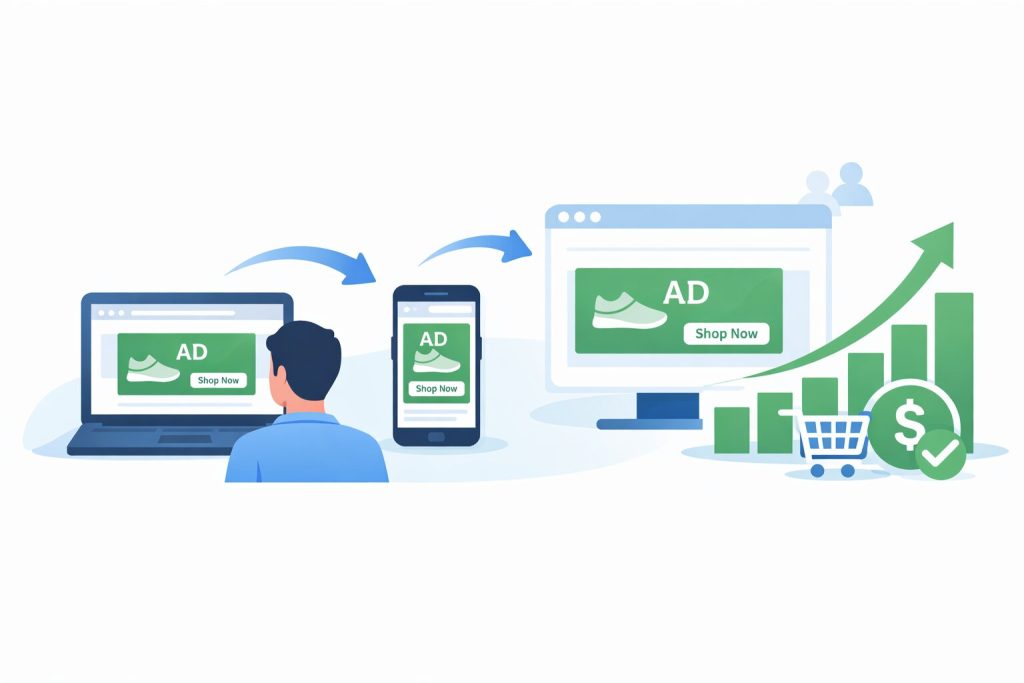
Here is a number that should make every advertiser stop and think. Research consistently shows that between 97 and 98 percent of first-time website visitors leave without taking any action. They browse your product pages, read your about section, maybe even hover over the buy button, and then they close the tab and move on with their day. If you are running paid acquisition campaigns, that means for every hundred people you pay to bring to your website, only two or three of them convert on that first visit. The other 97 have already seen your brand, expressed some level of interest, and disappeared into the internet.
This is not a failure of your product or your website. It is simply how buying decisions work. Most purchases, whether we are talking about a fifty-dollar item or a five-thousand-dollar service, involve a consideration period. People compare options, check reviews, discuss the decision with partners or colleagues, and often return to make the purchase only after multiple touchpoints with a brand. The problem for most advertisers is that they treat the first visit as the only opportunity to convert, and then they start the whole expensive acquisition process over again with new cold traffic.
Retargeting ads exist specifically to solve this problem. Instead of abandoning those 97 visitors and spending more budget trying to find new ones, retargeting lets you follow up with everyone who has already shown interest in your brand, showing them relevant, well-timed ads across the platforms they use every day. When done correctly, retargeting campaigns generate conversion rates two to ten times higher than cold traffic campaigns, at a fraction of the cost per acquisition. In this guide, you will learn exactly how retargeting works, how to build properly segmented audiences, how to match the right creative to the right intent level, and how to optimise your campaigns for maximum conversion impact.
Why Retargeting Works: The Psychology Behind the Strategy
To use retargeting effectively, it helps to understand why it works so reliably in the first place. The answer lies in two overlapping psychological principles. The first is the mere exposure effect, a well-documented cognitive phenomenon in which people develop a preference for things they have encountered before. Familiarity reduces the mental effort required to process information, and our brains tend to interpret that ease of processing as a signal that something is trustworthy or desirable. A brand you have visited once already carries a different psychological weight than a brand you have never heard of, even if the products are objectively identical. Retargeting exploits this effect by keeping your brand in front of warm prospects long enough for familiarity to tip into preference.
The second principle is intent signalling. Not all website visitors are equal. Someone who spent four minutes reading your pricing page and looked at your FAQ section is communicating something meaningful about their level of interest, even if they did not complete a purchase. Someone who bounced from your homepage after eight seconds is communicating something very different. Retargeting allows you to treat these two people differently, showing each of them a message calibrated to where they actually are in their decision-making process rather than treating all past visitors as a single undifferentiated audience.
The Consideration Window
Most meaningful purchases happen within what marketers call a consideration window, the period of time between when someone first becomes aware of a need and when they actually make a decision. For impulse purchases this window might be minutes. For a software subscription, a home service, or a high-ticket product, it might be days, weeks, or even months. During that window, the brands that stay visible have an enormous advantage over the brands that only made one impression and never followed up.
Retargeting is the mechanism that keeps your brand present and relevant throughout that window. Instead of hoping the customer remembers you when they are finally ready to buy, you ensure that your brand is the one they see on Facebook the day after their initial visit, on the websites they browse that evening, and in their Instagram feed three days later when the consideration window is ripening toward a decision. The compounding effect of these touchpoints is what drives the conversion rate improvements that make retargeting so valuable.
Setting Up the Technical Foundation
Before a single retargeting ad can be served, you need a tracking mechanism in place that identifies your website visitors and builds the audience lists you will later target. This tracking happens through small pieces of code called pixels or tags, installed on your website, that communicate with the ad platforms you use. Without them, the platforms have no way of knowing who has visited your site, what pages they viewed, or what actions they took.
The setup process can feel technical if you have not done it before, but it is fundamentally a copy-and-paste operation combined with a few configuration steps inside each ad platform. The most important thing to understand is that every day you run traffic to your website without tracking in place is a day of audience data you can never recover. Every visitor who arrives before your pixel is active is a lost retargeting opportunity. For this reason, setting up tracking should happen before you launch any paid acquisition campaigns, not after.
The Pixels and Tags You Need
The specific tracking code you need depends on which advertising platforms you plan to run retargeting on. The three most important to set up for most businesses are:
- installed via Meta Business Suite’s Events Manager. It records page views, add-to-cart events, purchases, form submissions, and any custom events you define. Use the Meta Pixel Helper Chrome extension to verify it is firing correctly after installation. Meta Pixel (for Facebook and Instagram ads):
- best installed via Google Tag Manager, which lets you manage all of your tracking tags from a single interface without editing your website code for each one. This tag populates remarketing audience lists in both Google Ads and Google Analytics 4. Google Tag (for Google Ads remarketing):
- functions similarly to the Meta Pixel within TikTok’s ecosystem. If TikTok is a meaningful traffic source for your target audience, install this alongside the others from day one. TikTok Pixel (for TikTok ads):
After installation, the next step is to configure conversion events. These are the specific actions on your website that you want the platform to track and eventually optimise toward. At a minimum, you should set up events for key page views such as your pricing or services page, form submissions, and purchases. Without defined conversion events, the platform can only optimise toward traffic metrics rather than the outcomes that actually matter to your business.
Building Your First Audience
Once your pixel is live and verified, your first audience will begin to populate automatically as visitors arrive on your site. In Meta Audiences Manager, navigate to Custom Audiences and select Website as the source. You will then be prompted to define the audience using your pixel data, choosing parameters such as which pages were visited and over what time window. Start with a simple all-website-visitors audience over the past 30 days as your baseline, then build more specific segments as your traffic grows.
Google Ads audience creation works similarly through the Audience Manager tool within your Google Ads account, where you can build remarketing lists based on page URL patterns, specific conversion events, or segments imported from Google Analytics 4. Once your audiences are created and a minimum size threshold is met, typically 1,000 users for Meta and 100 for Google Display, you are ready to launch your first retargeting campaign.
Audience Segmentation: The Strategy That Separates Good Retargeting from Great
The single most common retargeting mistake, and the one that most reliably explains why campaigns underperform, is treating all past visitors as a single audience. When you take everyone who has ever visited your website and show them the same ad regardless of what they looked at, how long they stayed, or how recently they visited, you are essentially broadcasting to a mixed crowd of people at wildly different stages of readiness to buy. The person who abandoned a cart thirty minutes ago is in a completely different headspace from the person who briefly landed on your homepage six weeks ago. Showing them the same ad is as inefficient as it is imprecise.
Audience segmentation is the practice of dividing your retargeting pool into distinct groups based on the behaviour signals those visitors already gave you, and then matching each group to a message that reflects where they actually are in the buying journey. It requires slightly more setup than running a single broad retargeting campaign, but the conversion rate improvement is not marginal. Properly segmented retargeting campaigns routinely outperform unsegmented ones by a factor of two to four times, because every ad impression is doing a job matched to a specific type of intent.
A Practical Segmentation Framework
The table below outlines the core audience segments to build for most businesses, along with the intent level each segment represents and the type of creative message most likely to convert them. Use this as your baseline framework and adapt it based on the specific pages and conversion events on your own website.
| Audience Segment | Intent Level | What to Show Them |
| All website visitors (last 30 days) | Broad / Low | Brand-reinforcing content, top-of-funnel offer, social proof to encourage deeper exploration |
| Homepage bouncers (under 30 sec) | Very Low | Awareness creative, brand story; avoid hard-sell – they barely engaged |
| Product or service page viewers | Medium-High | Specific product benefits, customer testimonials, feature comparisons |
| Pricing page visitors | High | Objection-handling copy, guarantees, FAQ-style ads, time-limited offers |
| Cart abandoners (eCommerce) | Very High | Exact products left behind, urgency signals, incentive if margin allows |
| Blog readers | Content-Stage | Lead magnets, email sign-up offers, content upgrades |
| Past converters / customers | Existing | Upsell, cross-sell, loyalty rewards, referral incentives |
Segmenting by Time Window
In addition to segmenting by behaviour, time-window segmentation adds a second layer of precision that dramatically improves campaign efficiency. A visitor from yesterday is in a fundamentally different mental state from a visitor from 60 days ago. The recency of the visit is itself a signal of intent, and your bidding and messaging strategy should reflect that.
- your highest-intent window. These visitors have you freshest in mind, and their consideration is most active. Prioritise this segment with your strongest offers, highest frequency, and most direct call-to-action creative. 0 to 7 days:
- still warm but cooling. Use reminder-style ads reinforced with social proof, testimonials, and benefit-focused messaging to sustain awareness during the remainder of their consideration window. 8 to 30 days:
- re-engagement territory. These visitors may have made a decision elsewhere or simply deprioritised the purchase. Use fresh creative with a new angle or a limited offer to revive their interest. 31 to 90 days:
- consider excluding this group from your main campaigns entirely. Audience fatigue is real, and spending budget to repeatedly reach people who have not engaged after three months rarely delivers a positive return. If you want to maintain reach, place them in a separate low-budget campaign with a radically different creative approach. 91 days and beyond:
Burn Audiences: The Underused Efficiency Tool
One of the most important and most frequently overlooked elements of retargeting campaign management is the burn audience. A burn audience is a custom audience of people who have already converted, which you then add as an exclusion to all of your active retargeting campaigns. The purpose is simple: once someone has purchased your product, subscribed to your service, or completed whatever action your campaign is optimising for, continuing to show them the same acquisition-focused ad creates a poor brand experience and wastes budget that could be spent on genuinely unconverted prospects.
Setting up burn audiences is straightforward on both Meta and Google. On Meta, create a custom audience of people who triggered your purchase or lead completion conversion event, then add this audience in the Exclusions section of each ad set that is targeting non-converters. On Google, create a remarketing list of converters and apply it as a negative audience to your display retargeting campaigns. Update your burn audience window regularly, typically to 30 or 60 days post-conversion, after which it may be appropriate to re-introduce those customers to loyalty or upsell campaigns rather than excluding them permanently.
The Three Retargeting Campaign Types and When to Use Each
Retargeting is not a single tactic but a category of campaign strategies, each suited to different business types, product complexities, and funnel structures. Understanding the three primary campaign types, and the situations each is designed for, will help you choose the right approach for your specific goals rather than defaulting to the simplest option and leaving significant conversion potential unrealised.
Standard Retargeting
Standard retargeting is the foundational form of the strategy and the right starting point for most advertisers. You define an audience using your pixel data, design a set of ads with manually selected creative, and the platform shows those ads to everyone in the audience within the parameters you configure. The ad is the same for all audience members; it does not change based on which specific product they viewed or which page they visited.
Standard retargeting works best for businesses with a focused product or service offering where a single compelling message can speak to most visitors at a similar intent level. A consulting firm with one core service package, a SaaS product with a single pricing tier, or a local business with one primary offer are all well served by standard retargeting. The setup is faster, the creative management is simpler, and the results, when the messaging is well-calibrated to the audience, can be impressive without the additional complexity of more advanced campaign types.
Dynamic Retargeting
Dynamic retargeting takes personalisation to a scale that would be impossible to achieve manually. Instead of creating individual ads for every product or service, the advertiser uploads a product catalog or content feed to the ad platform, and the platform generates personalised ads automatically, showing each person the specific products or pages they viewed during their site visit. A shopper who looked at a blue running shoe in size 10 sees an ad featuring that exact shoe. Someone who browsed a software integration page sees an ad highlighting that specific feature.
The conversion impact of this level of personalisation is substantial. Seeing the exact product you were considering, presented in a clean ad format with the price and a clear path back to purchase, removes the friction of having to remember what you were looking at and find it again. Dynamic retargeting consistently outperforms standard retargeting for eCommerce businesses with large catalogs, and is increasingly being used by SaaS companies and content publishers to deliver page-specific follow-up messaging at scale. On Meta, dynamic retargeting requires setting up a Product Catalog and running Catalog Sales or Advantage+ Catalog Ads. On Google, it integrates with Google Merchant Center and runs through Performance Max or standard Shopping campaigns.
Sequential Retargeting
Sequential retargeting is the most sophisticated of the three approaches, and also the most powerful when executed correctly. Rather than showing the same ad repeatedly to the same person, sequential retargeting delivers a planned series of different creative messages, each designed to move the prospect one step further along the path to conversion. The first ad might introduce the core problem your product solves. The second, shown after a defined interval or number of impressions, presents your product as the solution. The third addresses the most common objection. The fourth delivers a final push with a testimonial from a customer who had the same hesitation.
This approach treats retargeting as a structured mini-funnel rather than a single touchpoint, which is a more accurate reflection of how buying decisions actually unfold. Prospects do not need the same message repeated endlessly; they need the right message at the right stage of their deliberation. Sequential retargeting is most practical on Meta, where frequency capping and audience rules allow you to control which ads a person sees based on how many times they have already seen your previous ads. It requires more creative assets and more planning than standard retargeting, but for high-ticket products and services where the consideration period is long, the investment in sequence design often delivers the highest return of any retargeting approach.
Ad Creative Strategy for Retargeting Campaigns
Retargeting creative operates under a fundamentally different set of rules than cold-traffic advertising. The person seeing your retargeting ad is not a stranger. They have already visited your website, which means they already have some familiarity with your brand and some exposure to your offering. Leading with a generic brand awareness message, the kind that makes sense as a first introduction, is a wasted opportunity when the viewer already knows who you are. Effective retargeting creative acknowledges the prior relationship, addresses the most likely reason the person did not convert on their first visit, and makes the next step feel easy and low-risk.
Matching Creative to Funnel Stage
The most important creative principle in retargeting is message-to-segment matching. Different audience segments are at different stages of the decision-making process, and the creative you show them should reflect that difference. A homepage bouncer who barely engaged with your site needs different messaging than a pricing page visitor who spent several minutes reading your plans and comparing tiers.
- focus on trust-building and brand differentiation. Use storytelling creative that explains what makes your brand different, case study snippets that build credibility, or content offers that provide value before asking for a transaction. The goal at this stage is not conversion; it is deepening engagement. Top-of-funnel retargeting (homepage bouncers and blog readers):
- shift to benefit-driven messaging that speaks directly to the features of the product or service they viewed. Testimonials from customers who had a similar need, comparison content that helps the prospect make their decision, and social proof elements like review counts and star ratings all work well at this stage. Mid-funnel retargeting (product and category page viewers):
- this is the stage where conversion-focused creative earns its keep. Address objections directly. Reinforce trust with guarantees, return policies, or risk-reversal language. Use urgency where it is genuine, such as limited-time offers or low-stock signals. Make the CTA as direct and frictionless as possible. Bottom-of-funnel retargeting (pricing page visitors and cart abandoners):
Four Copy Frameworks That Work in Retargeting
Beyond funnel-stage alignment, the copywriting approach you use shapes how effectively each ad moves a prospect forward. Four frameworks consistently perform well in retargeting contexts:
- a straightforward, non-pressuring reminder of what the person viewed. Works best for high-intent audiences who were genuinely interested but simply got distracted. The tone is helpful rather than pushy: here is what you were looking at, here is how to pick up where you left off. The Reminder Frame:
- directly addresses the most common reason someone in this audience segment might not have converted. If pricing is the likely concern, lead with value and ROI. If trust is the barrier, lead with guarantees and credibility signals. If complexity is the issue, lead with ease-of-use messaging or a getting-started offer. The Objection Frame:
- testimonials, review excerpts, customer counts, and case study results. Particularly effective for mid-funnel audiences who are evaluating options and looking for validation from people who have already made the decision they are considering. The Social Proof Frame:
- time-limited offers, expiring discounts, or genuine scarcity signals. Use this framework sparingly and only when the urgency is real. Manufactured urgency is quickly recognised as dishonest and actively damages the trust you are trying to build with people who are already familiar with your brand. The Urgency Frame:
Managing Creative Fatigue
Because retargeting audiences are smaller than cold-traffic audiences, individual users will see your ads more frequently, and creative fatigue sets in faster. A user who sees the same ad five times in a week does not just become less likely to click; they can develop a negative association with your brand from the experience of feeling followed or pressured. Monitor frequency at the ad set level and plan to refresh your retargeting creative every three to four weeks for any audience where average weekly frequency exceeds three impressions. Having a library of two or three creative variants per audience segment allows you to rotate automatically without going dark between creative cycles.
Optimising Your Retargeting Campaigns for Maximum Conversions
Launching a retargeting campaign is the beginning of the optimisation process, not the end of it. The most successful retargeting advertisers treat their campaigns as living systems that require regular review and adjustment, not set-and-forget mechanisms. The following practices, applied consistently over time, are what separate retargeting campaigns that plateau after the initial lift from ones that continue to compound their conversion impact month over month.
Frequency Management
Ad frequency is one of the most consequential and most mismanaged variables in retargeting. Unlike cold-traffic campaigns where higher frequency often correlates with better performance, retargeting audiences are small pools where overexposure can actively harm both conversion rates and brand sentiment. Most practitioners recommend a frequency cap of three to five impressions per week for standard retargeting audiences. Above that threshold, diminishing returns accelerate sharply, and the brand experience starts to feel intrusive rather than helpful.
On Meta, frequency caps can be applied at the ad set level. On Google Display, you can set impression caps per day, per week, or per campaign. Review frequency data at least weekly during the first month of any new retargeting campaign and adjust caps if average frequency is exceeding your target before creative rotation has a chance to reset the perception of novelty.
Key Metrics to Monitor Weekly
Effective retargeting optimisation requires tracking a specific set of metrics that reveal how each segment and creative is performing. The most important metrics to review on a weekly basis are:
- this tells you which segments are most ready to buy and where your budget is generating the best return. If cart abandoners are converting at five percent but product page viewers are converting at 0.5 percent, that ratio should guide your budget allocation. Conversion rate by audience segment:
- are you reaching a healthy range of unique users within each audience, or is your campaign becoming over-concentrated on a small subset of people? Frequency and unique reach:
- ensures that budget efficiency is maintained across your audience tiers as you scale. Cost per conversion by segment:
- a declining CTR is often the first signal of creative fatigue before conversion rate begins to drop. Use it as an early warning indicator to trigger creative refresh. Click-through rate by creative:
- check periodically that your audience segments are not overlapping significantly, which can cause the same person to be served multiple campaign types simultaneously, inflating costs and creating a confusing brand experience. Audience overlap:
A Practical Optimisation Rhythm
Rather than reviewing everything at once when something goes wrong, establish a regular cadence of optimisation activities that prevent small issues from becoming large ones. A weekly review of frequency, reach, and CTR takes fifteen minutes and catches the most common problems early. A monthly review of conversion rate by segment, budget allocation across audience tiers, and creative performance guides the bigger structural decisions. Every quarter, reassess your audience time windows against your typical customer consideration cycle, and consider adding new segments based on new conversion data that has accumulated since your last review.
Frequently Asked Questions
How much website traffic do I need before retargeting makes sense?
Most platforms require a minimum audience size before ads can be served. Meta requires a minimum of 1,000 users in a custom audience before it becomes active, while Google Display requires 100 users. As a practical guideline, 500 to 1,000 monthly website visitors is the realistic minimum to make retargeting financially worthwhile. Below this threshold, your audience will be too small to generate meaningful conversion volume, and individual users will be exposed to your ads too frequently, accelerating creative fatigue. If you are below this traffic level, focus first on building organic or paid traffic before investing in retargeting infrastructure.
What is the difference between retargeting and remarketing?
The two terms are used interchangeably in most contexts today, but they have different technical origins. Remarketing originally described email-based re-engagement campaigns targeting past customers or leads who had previously interacted with a business. Retargeting referred specifically to pixel-based ad campaigns that followed website visitors across the web. Over time, Google adopted the term remarketing to describe what Meta and most of the industry calls retargeting. For practical purposes, if you are running pixel-based audience campaigns on any major ad platform, the terms are synonymous regardless of what the platform itself calls the feature.
How long should my retargeting window be?
The right window depends on your product’s typical sales cycle. For low-cost impulse purchases, a 7 to 14-day window captures most of the conversion opportunity without wasting spend on audiences who have long since made a decision. For higher-ticket products and services with longer consideration periods, a 30 to 90-day window is more appropriate. As a general rule, do not run retargeting audiences beyond 90 days for most products. After that point, the purchase intent signal weakens significantly, and the spend required to maintain reach rarely generates a positive return. If you want to maintain some presence beyond 90 days, place that audience in a separate, low-budget re-engagement campaign with a distinctly different creative approach.
Is retargeting effective for B2B businesses, or is it primarily a B2C strategy?
Retargeting is highly effective for B2B, and in some ways even more valuable than for B2C because B2B buying cycles are longer and involve more touchpoints before a decision is made. LinkedIn is the most powerful retargeting platform for professional audiences, allowing you to target previous website visitors with highly specific professional filters. Google Display and YouTube also work well for B2B retargeting, particularly for keeping your brand visible to decision-makers during a multi-week or multi-month evaluation process. The key differences from B2C are that B2B retargeting typically requires lower frequency, longer time windows, and content-focused creative that supports the evaluation process rather than pushing for an immediate transaction.
How do I prevent my retargeting ads from feeling intrusive or annoying?
Three practices reliably prevent the intrusive feeling that poor retargeting creates. First, apply frequency caps that limit impressions to three to five per week per user, so no individual is overwhelmed by your ads. Second, rotate creative regularly so that the same person does not see identical ads repeatedly across weeks. Third, maintain strict burn audiences that exclude recent converters and progressively suppress users who have seen your ads many times without engaging. Retargeting feels intrusive when it is poorly segmented, high-frequency, and shows the same irrelevant message to everyone. It feels genuinely useful when it is timely, relevant to what the person actually viewed, and respectful of their attention.
Can retargeting work with a limited ad budget?
Yes, and retargeting is actually one of the most budget-efficient ad strategies available precisely because the audience is small and pre-qualified. Even a budget of five to ten dollars per day can generate meaningful retargeting reach if your website traffic is modest. The key is to concentrate your limited budget on the highest-intent audience segment first, typically cart abandoners or pricing page visitors, where the conversion probability is highest. Once you have validated the approach and are seeing positive returns on your most focused segment, expand budget and audience scope incrementally. A small, well-targeted retargeting campaign will almost always outperform a large, poorly segmented one.
My retargeting ads are getting clicks but not conversions. What should I check?
Clicks without conversions in a retargeting campaign almost always indicate a landing page problem rather than an audience or creative problem. If people are clicking, the ad is successfully doing its job of generating interest. The breakdown is happening on the page they land on after the click. Check first for message match: does the landing page immediately reinforce the specific promise or offer made in the ad? Check load speed, particularly on mobile, since a page that takes more than three seconds to load loses a significant proportion of its visitors before they see any content. Review the conversion path for unnecessary friction, simplify the form or checkout process if it has too many steps, and move your primary social proof elements closer to the call-to-action button. A heatmap tool like Hotjar can identify exactly where users are dropping off on the page within hours of installation.
Conclusion:
Every business that invests in paid traffic acquisition is already sitting on a retargeting opportunity it has not yet fully activated. The visitors you paid to bring to your website, who browsed, showed interest, and left without converting, are not lost. They are your warmest audience, and with the right infrastructure and strategy in place, they are the most cost-efficient audience you can advertise to.
The framework in this guide gives you everything you need to build a retargeting system that compounds over time. Start with your tracking infrastructure, build your pixel and tags before you run any paid acquisition traffic. Then build segmented audiences that reflect the different intent levels your visitor behaviour signals are revealing. Match your creative and messaging to each segment’s specific stage in the buying journey. Monitor frequency, refresh creative proactively, and maintain clean burn audiences that keep your budget focused on unconverted prospects.
None of this requires a large budget or an enterprise marketing team. Even a modest retargeting setup running on a few hundred dollars per month, targeting a well-segmented set of high-intent visitors, can meaningfully move your conversion rate within the first thirty days. The businesses seeing the most dramatic improvements in their conversion numbers are not the ones spending the most on acquisition. They are the ones extracting the most value from the traffic they have already earned. Retargeting is how you do that.