
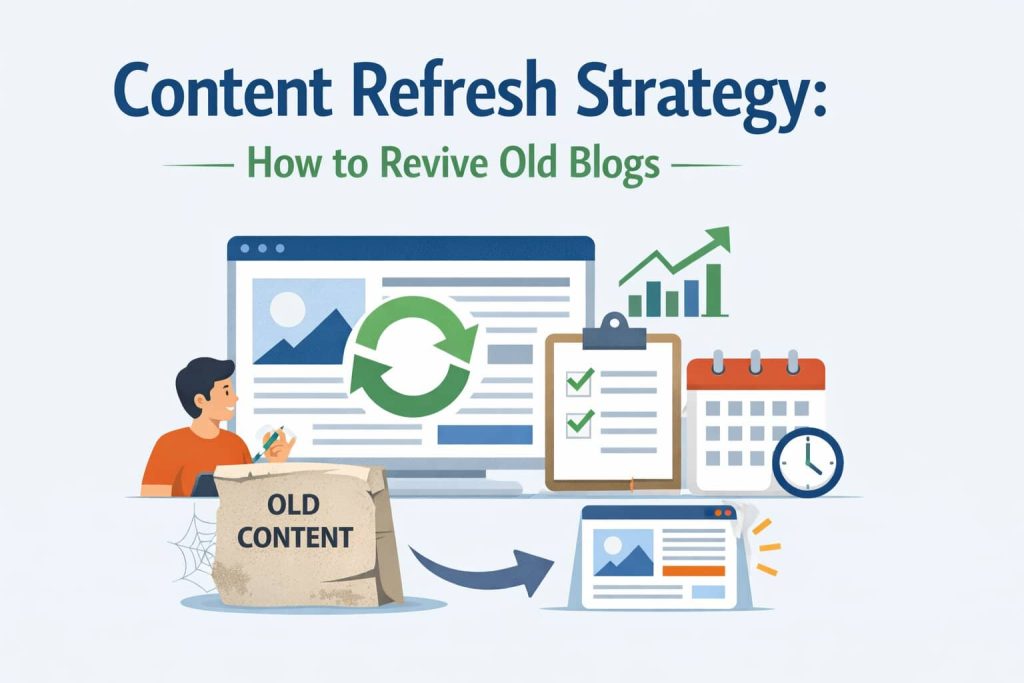
Here is a question worth sitting with: what if the fastest path to more organic traffic is not writing a single new word? Most content teams operate on the assumption that growth requires constant production – more posts, more topics, more volume. And yet some of the most dramatic traffic recoveries in SEO happen not through new content, but through the deliberate improvement of what already exists.
HubSpot’s research on content refreshing found that updating and republishing old blog posts increased their organic traffic by an average of 106 percent. Not by writing twice as much – by writing better versions of what was already there. That figure represents something important: your existing content archive is not a historical record. It is a set of assets with established authority, existing backlinks, and real ranking potential – much of which is currently being suppressed by outdated information, gaps in coverage, and a search landscape that has moved on since the posts were first written.
This is the premise of a content refresh strategy. Rather than treating old posts as finished work, a refresh strategy treats them as investments that need regular maintenance to keep paying returns. It is a systematic approach to identifying which posts are decaying, understanding why, choosing the right level of intervention, and executing improvements that restore – and often significantly improve – their original ranking position.
This guide covers the complete process. You will learn why content decays and why that decay is actually an opportunity, how to use data to identify and prioritise which posts to refresh, how to choose the right depth of refresh for each situation, how to execute a refresh across six distinct phases, when consolidation is the right answer instead of a standalone refresh, and how to build a recurring refresh calendar that runs alongside your new content programme. If you have been publishing for at least 12 months and have a library of 20 or more posts, this framework will show you how to make those posts work harder – without starting from scratch.
Why Content Decays – and Why That Is Actually Good News
Content decay is the gradual decline in a page’s organic traffic, rankings, and search visibility over time. It is not a sign that something was published badly or that a strategic mistake was made. It is an entirely natural phenomenon – the predictable consequence of a search landscape that never stops evolving, applied to content that was written at a specific point in time and has not changed since.
Understanding the specific mechanisms behind decay is important because each cause points to a different solution. When you know why a post has lost traffic, you know exactly what kind of intervention it needs – and that knowledge is what separates a purposeful refresh from a random edit.
The Five Causes of Content Decay
The most common cause of traffic decline is competitive displacement. Every month, other publishers are writing new blog posts on the same topics you cover. If their content is more comprehensive, more current, or better structured than yours, Google will gradually rank it above you. This is not a penalty – it is simply the search engine doing its job of surfacing the best available answer to a query. A post that was the most thorough treatment of its topic in 2021 may now be the fifth-most-thorough, and its position in the search results will reflect that accurately.
The second cause is algorithm evolution. Google releases thousands of algorithm updates each year, including major shifts like the Helpful Content Updates of 2022 and 2023, which fundamentally changed the signals Google uses to assess content quality. Content written for a past version of Google’s quality standards may not meet the bar of the current one, even if the underlying information remains accurate.
Third is freshness degradation. For a significant subset of search queries – statistics, rankings, product comparisons, regulatory information, best-practice guides – Google actively downgrades content that has not been updated recently. A post titled ‘Best Email Marketing Tools in 2021’ is not just slightly stale in a reader’s eyes – it is actively ranked lower because the year in the title and the absence of recent updates signal to the search engine that the information may no longer be reliable.
The fourth cause is intent drift. Search intent – the dominant type of content that searchers want to see when they enter a particular query – shifts as topics mature and audiences evolve. A query that primarily returned informational articles two years ago may now predominantly surface product comparison pages or video tutorials. If your post’s format no longer matches the prevailing intent for its target query, even excellent content will struggle to maintain its position.
The fifth cause is link atrophy. The backlinks that initially helped a post rank tend to diminish over time as linking sites update their own pages, change their link structures, or go offline entirely. A post that had twelve quality backlinks in 2020 may now have eight – and that reduction, compounded across multiple posts, represents a measurable decline in domain authority.
Why Decay Is an Opportunity, Not a Loss
Here is the reframe that makes a content refresh strategy so powerful: every decaying post has already done the hard work. It earned its original rankings through content quality and backlink accumulation. It proved that the topic has search demand. It built a relationship with search engines that a brand-new post on the same subject would take months to establish from scratch. That history does not disappear when traffic declines – it sits dormant, waiting to be reactivated by an update that makes the post competitive again.
This is why refreshing almost always produces results faster than writing new content on the same topic. A new post targeting a competitive keyword might take six to twelve months to reach the first page of results, assuming it earns backlinks and receives consistent promotion. A refreshed post on the same topic, with existing authority and an existing backlink profile, can move from page three to page one within four to eight weeks of the update being reindexed. The engine is already running. A refresh is the service that gets it back to full performance.
How to Identify Which Posts to Refresh First
The most common mistake teams make when starting a content refresh programme is selecting posts based on instinct – picking whatever looks old, whatever an editor remembers writing, or whatever topic feels topically important right now. This approach wastes the effort on posts that may have little recovery potential while overlooking posts that could return to page one with a modest intervention. A data-driven prioritisation process produces dramatically better results by focusing energy where the potential return is highest.
Step 1: Pull Your Declining Traffic Report from Google Search Console
Open Google Search Console and navigate to the Performance section, then Search Results. Set your date range to the last sixteen months – a window long enough to capture both seasonal patterns and genuine structural decline. Use the Compare function to set the first period as the most recent six months and the comparison period as the six months immediately before that. Export the full results to a spreadsheet.
You are looking for two categories of post. The first is pages that have experienced a meaningful decline in clicks – a drop of 15 percent or more from the first period to the second. These are your primary refresh candidates, because they have already demonstrated that they can rank and drive traffic, and their decline is a signal worth investigating. The second category is pages currently ranking in positions six through twenty with two hundred or more monthly impressions. These posts are already visible – Google knows about them and is showing them in search results – but they are not converting that visibility into significant traffic. A targeted refresh often needs only to close a small quality gap to push these posts onto the first page.
Step 2: Score Each Post Against the Refresh Priority Matrix
Not all declining posts are equally worth refreshing. A post that has lost some traffic but has five quality backlinks and targets a keyword with a thousand monthly searches is a far higher priority than a post that has also lost traffic but has no backlinks and targets a query that fifty people search for each month. The priority matrix below scores each candidate across five signals, producing a total score between 5 and 15. Posts scoring ten or above should be refreshed first. Posts scoring seven to nine are strong candidates for a lighter refresh. Posts scoring below six may be better candidates for consolidation or removal rather than a standalone refresh.
| Signal | Score 3 (High) | Score 2 (Medium) | Score 1 (Low) | Why It Matters |
|---|---|---|---|---|
| Traffic Trend | Was high, now declining | Flat / stagnant | Always been low | Proves existing authority – easier to recover |
| Current Ranking Position | Pages 2–3 (pos. 11–30) | Pages 4–5 (pos. 31–50) | Beyond page 5 | Page 2–3 posts need smallest push to page 1 |
| Backlinks / Ref. Domains | 5+ quality backlinks | 1–4 backlinks | Zero backlinks | Links amplify refresh ROI significantly |
| Content Age | 2–4 years old | 1–2 years old | Under 1 year | Older posts often carry the most outdated data |
| Target Keyword Volume | 1,000+ monthly searches | 200–999/month | Under 200/month | High-volume KWs justify deeper refresh effort |
Step 3: Apply the Quick Filter
Before finalising your refresh queue, apply three quick filters to remove posts that do not belong in a refresh programme. First, remove any post that has been in continuous decline for more than three years with zero backlinks pointing to it – these are almost always better candidates for replacement or removal than rehabilitation. Second, flag any pair of posts that are cannibalising the same keyword, where both are appearing in search results for the same primary query. These need consolidation, not individual refreshes – a point covered in detail in a later section. Third, check whether any posts in your queue are currently performing well on a secondary keyword even as they decline on their primary target – if a post is still valuable for a related query, its refresh brief needs to account for that secondary ranking.
Choosing the Right Refresh Depth
Not every post needs the same level of intervention. Applying a deep rewrite to a post that simply needs a few statistics updated is wasteful. Applying a light edit to a post that has fundamentally lost its competitive footing is ineffective. Matching the depth of the refresh to the severity of the decay is what makes a content refresh programme efficient at scale.
The four refresh types in the table below represent a spectrum from minimal intervention to near-complete reconstruction. Understanding which type applies to each post is one of the most consequential judgements in the entire refresh process.
| Refresh Type | When to Use It | What It Involves | Expected Outcome |
|---|---|---|---|
| Light Refresh | Good traffic, minor staleness | Update stats, fix links, refresh date, tighten meta | Maintain / marginally lift rankings |
| Moderate Refresh | Declining traffic, content gaps vs. competitors | Add 2–4 new sections, update all data, improve structure, new CTA | Recover lost rankings; lift CTR |
| Deep Refresh | Significant traffic drop, major topic evolution | Rewrite 50–70% of content, new structure, new media, full re-optimisation | Reclaim page 1; compete with new content |
| Consolidation | Two+ posts cannibalising the same keyword | Merge into one comprehensive post; 301-redirect merged URLs | Eliminate split authority; one strong page |
How to Choose the Right Refresh Type
The decision between refresh types comes down to two primary questions: how significant is the traffic decline, and how much has the competitive landscape changed for this topic? Open an incognito browser, search for the post’s primary target keyword, and spend five minutes reading the top three results. If those pages cover everything your post covers – and four to six additional subtopics you have not addressed – you are looking at a moderate or deep refresh. If the top results are broadly similar in scope to your post, but more current and slightly better structured, a light or moderate refresh will likely be sufficient.
Signals Pointing to a Light Refresh
- The post is still ranking on page one or the top of page two for its primary keyword
- Traffic decline is gradual – under 20 percent year-over-year – and has been relatively recent
- The topic itself has not significantly evolved; only supporting details like statistics, tool names, or pricing have changed
- Competitor content at the top of the SERP is not substantially more comprehensive than your post
Signals Pointing to a Moderate or Deep Refresh
- Traffic has declined by 30 percent or more over a 12-month period
- The top-ranking pages for your target keyword now cover four to six major subtopics that your post does not address at all
- The dominant search intent for the query has shifted – for example, a query that used to surface definition-style articles now predominantly surfaces step-by-step how-to content
- Your post contains a significant proportion of information that would now actively mislead a reader – not just outdated figures, but outdated recommendations or superseded best practices
- The post’s structure is substantially inferior to current top-ranked pages in terms of heading organisation, content format, and visual presentation
The Six-Phase Content Refresh Process
The following process applies to a moderate or deep refresh – the two types that require the most structured execution. For a light refresh, phases one and two can be abbreviated significantly. Work through each phase in sequence, because the earlier phases inform the decisions made in the later ones.
Phase 1: Competitive Analysis and Content Gap Identification
Before writing a single word of the refreshed content, you need to understand exactly what the current search landscape looks like for your target keyword. Open the top five ranking pages for the query in incognito mode and map every H2 and H3 heading across all five pages into a single master list. This topic map shows you, at a glance, which subtopics appear repeatedly across the leading pages – and therefore which subtopics Google has determined are essential to a comprehensive treatment of this subject.
Compare your topic map against your post’s existing heading structure. Every subtopic that appears in two or more of the top five results but is absent from your post is a mandatory addition to the refresh brief. These are not nice-to-have improvements – they are the specific gaps that are preventing your post from competing effectively. Next, check the People Also Ask box for your target query. Each question represents a real user need that Google has identified as related to the core topic, and each one is a potential new section, subheading, or FAQ entry for your refreshed post.
Phase 2: Statistics and Data Audit
Read through your existing post and highlight every statistic, data point, tool reference, price, legal or regulatory mention, and named third-party resource. For each highlighted item, ask a simple question: is this still accurate today? If it references a specific year, find the most recent version of that data from a primary source and replace it. If it recommends a tool or platform, verify that the tool still exists in the form described, that its pricing is still current, and that it is still the appropriate recommendation given what is now available.
A particularly important category is best-practice recommendations. Statistics go out of date factually – but best-practice content can go out of date normatively, meaning that the recommended approach is no longer the one the industry considers best. If your post contains recommendations that contradict current consensus in your industry, those sections need to be rewritten entirely rather than simply updated with fresher figures. Updating the number while preserving a flawed recommendation is worse than leaving the original unchanged, because it signals to readers that the content has been recently reviewed – and found to endorse something that is no longer correct.
Phase 3: Structural Improvements
With your content gap list and updated data in hand, it is time to improve the architecture of the post. Rewrite the title tag and H1 heading to reflect the current dominant intent for the query – if your post was written when the intent was primarily informational and the current top results are largely instructional, the title should shift accordingly. Revise the meta description to include the primary keyword, a specific benefit, and a clear call to action in 150 to 160 characters.
Restructure the body of the post to incorporate the new sections identified in Phase 1. Do not simply append them at the end – integrate them into the post’s logical flow so that the refreshed version reads as a coherent piece rather than an original article with sections bolted on. Improve the introduction so that the first 100 words clearly establish what the post covers, who it is for, and what the reader will be able to do after finishing it. For posts over 1,500 words, add a linked table of contents – this improves navigation for readers and can generate jump links in search results that improve click-through rate.
Phase 4: Internal Linking Refresh
Internal links are one of the most underutilised levers in content refreshing, and they operate in both directions. First, add three to five contextual internal links from the refreshed post to other relevant, authoritative pages on your site – this distributes the page’s authority outward and helps Google understand the topical relationships between your content. Second, identify three to five other posts on your site that cover related topics and add a contextual internal link from each of those posts back to the refreshed post – this concentrates authority inward and signals to search engines that this is a hub page within your content structure.
A specific check worth running during this phase is the orphan audit. If the post you are refreshing currently has no internal links pointing to it from anywhere on your site, it is effectively invisible to search engine crawlers except through direct indexation. Before republishing, add links to it from at least three relevant existing posts to ensure it is properly connected to the rest of your site’s content graph. Also review all outbound links in the refreshed post – any that now resolve to 404 errors or redirect chains should be replaced with current, direct links.
Phase 5: On-Page Enhancements
Once the core content work is complete, focus on the presentation and conversion elements that determine whether a reader stays engaged and takes action. Update the featured image and ensure its alt text is descriptive and keyword-relevant. If the post currently has no visual assets beyond the featured image, add at least one: a data table, a comparison chart, a process diagram, or a video embed. Visual assets improve time on page, increase social shareability, and provide additional indexable content through alt text and surrounding captions.
Add or expand the FAQ section using questions pulled from the People Also Ask box and from related searches at the bottom of the SERP. A well-constructed FAQ section serves two purposes simultaneously: it covers additional keyword variations that the main body content may not address, and it enables FAQ schema markup, which can generate rich results in the SERP that increase click-through rate. Finally, review the post’s calls to action. Every post should have at least one clear, relevant CTA positioned in the first half of the content – before the reader has had the opportunity to disengage – and one at the close.
Phase 6: Republishing and Search Engine Signalling
The final phase is about making sure that Google discovers and reprocesses the refreshed content as quickly as possible. Update the publish date to the current date – not a ‘last updated’ notation in the body text, but the actual post date visible to the CMS and to search engines. Some content management systems pass a ‘modified’ date to Google’s crawlers separately from the original publish date, but updating the primary date is the most reliable way to signal freshness.
Immediately after publishing, open Google Search Console and use the URL Inspection tool to request reindexing of the refreshed URL. This notifies Google that the page has been updated and prompts a recrawl, typically within 24 to 48 hours. Without this step, Google may not recrawl the page for several weeks, delaying the ranking reassessment that determines whether the refresh has worked. Finally, treat the refreshed post as new content for promotional purposes – share it on social channels, include it in your next email newsletter, and consider running paid promotion if the post targets a high-value keyword. Fresh engagement signals from real readers reinforce the content quality update in Google’s eyes.
Consolidation: When Two Posts Should Become One
There is a specific scenario that many content teams encounter during their first prioritisation process: two posts targeting the same primary keyword, neither of which is performing strongly, and both of which show impressions in Google Search Console for the same query. This is keyword cannibalisation – and it requires a fundamentally different response than a standard content refresh.
When two posts compete for the same ranking position, Google must choose between them every time the query is searched. In most cases, it cannot consistently rank both, and the result is that neither page accumulates the authority it would if it were the only page on the site targeting that topic. Refreshing both posts individually is the worst possible response to this situation – it doubles the effort while maintaining the competition between them. The correct response is consolidation: combining the two posts into one authoritative, comprehensive piece and removing the weaker URL from the index.
How to Identify and Execute Consolidation
The consolidation trigger is straightforward to identify in Google Search Console. Filter your impressions data by a specific keyword and look for more than one of your URLs appearing in the results. If two posts are sharing impressions for the same primary query and neither is ranking consistently in the top ten, consolidation is almost always the right decision. Confirm by checking whether the two posts cover overlapping subtopics – if more than 40 percent of their content covers the same ground at the same level, they are cannibalising each other.
To execute the consolidation, choose the URL with the stronger backlink profile as the surviving page – this is the one that will receive all the accumulated link equity after the merge. Rewrite the surviving post as a new, comprehensive piece that incorporates the best content from both sources, structured as a coherent long-form article rather than two posts pasted together. Publish the merged post at the surviving URL, then issue 301 permanent redirects from all merged URLs to the surviving page. Update every internal link on your site that pointed to the merged URLs so that they now point directly to the surviving URL.
- Monitor Google Search Console weekly for four to six weeks after the consolidation to confirm the surviving URL is being indexed and ranked for the target keyword
- Verify that the merged URLs are no longer appearing as separate results in the SERP
- Use the URL Inspection tool in GSC to request reindexing of both the surviving URL and the redirected URLs
- Expect a traffic uplift of 20 to 50 percent on the surviving URL within 60 to 90 days as the previously split authority consolidates into a single competitive page
Building a Repeatable Refresh Calendar
A one-time refresh sprint is valuable – but a content refresh programme that runs continuously alongside new content creation is transformative. The difference between the two is operational infrastructure: a calendar that assigns refresh tasks on a predictable cadence, a tracking system that measures results, and a resource allocation that treats refreshing as a legitimate and ongoing content activity rather than an occasional maintenance task.
Recommended Resource Allocation
High-performing content programmes – HubSpot being the most cited example – typically dedicate 30 to 40 percent of their total content production capacity to refreshing existing posts rather than creating new ones. For a team publishing eight new posts per month, this translates to three or four refresh projects running in parallel, depending on their depth. This allocation may feel counterintuitive if your team has been operating on a pure creation model, but the return on effort from refreshing consistently exceeds the return from new content creation for any site with more than 12 months of publishing history.
The Quarterly Refresh Structure
Rather than managing refresh projects ad hoc, structure your refresh programme around a quarterly planning cycle. In the first quarter, run deep refreshes on the ten highest-priority posts identified through the prioritisation process – these are your most recoverable assets, and restoring them to page one will produce the most immediate and measurable impact on organic traffic. In the second quarter, move to moderate refreshes on the next fifteen posts in the priority queue while running light refreshes on the top ten posts from the first quarter to ensure their improvements are maintained.
From the third quarter onward, the programme becomes self-sustaining: continue working through the priority queue, run quarterly light-touch reviews of all previously refreshed posts, and respond immediately to any post that shows a sudden decline of 20 percent or more in a single month. That kind of sudden drop is a signal that something specific has changed – a new competitor ranking above you, a fresh algorithm update affecting your topic area, or a fundamental shift in search intent – and it warrants moving the post to the front of the refresh queue regardless of where it sits in the planned schedule.
Common Content Refresh Mistakes to Avoid
Even teams with the right strategic intent frequently undermine their refresh programmes through a small set of recurring errors. Understanding these mistakes before you begin is the simplest way to avoid them.
Refreshing Without Data
Selecting posts to refresh based on publication date, editorial instinct, or topic familiarity rather than traffic decline data and priority scoring is the most common reason refresh programmes produce disappointing results. The posts that feel old are not always the posts with the highest recovery potential. A rigorous data-driven approach to prioritisation – using the GSC declining traffic report and the priority scoring matrix – consistently outperforms intuition-based selection over any meaningful time period.
Cosmetic Refreshes on Posts That Need Structural Work
Updating a post’s publish date and changing a few sentences is not a content refresh – it is a date stamp change with minimal underlying improvement. Google’s quality assessment algorithms evaluate the actual content of a page, not its metadata. A post that needed three new sections, a structural rewrite, and ten updated statistics will not recover its rankings because its date was changed and a paragraph was lightly edited. Match the depth of intervention to the depth of the problem.
Other Critical Mistakes
- Refreshing cannibalising posts separately – when two posts target the same keyword, consolidating them produces far better results than improving both in parallel
- Changing the URL – this destroys accumulated link equity and indexation history and should be avoided in almost all circumstances
- Not requesting reindexing via GSC after publishing – without a reindexing request, Google may take weeks to recrawl the updated page, delaying ranking reassessment and making it impossible to attribute results accurately to the refresh
- Skipping post-refresh monitoring – if you do not compare traffic at 30, 60, and 90 days against the pre-refresh baseline, you have no way of knowing whether the work produced a return or understanding why it did or did not
- Treating the refresh programme as a one-time project – content continues to decay, competitors continue to publish, and an archive that was cleaned up once but never maintained will return to its previous state within 12 to 18 months
Frequently Asked Questions
Q1. How often should I refresh old blog posts?
The right cadence depends on how actively the topic area moves and how frequently you publish. Top-performing evergreen posts – those consistently in the top three for their primary keyword – should receive a light review every quarter to ensure statistics, links, and recommendations remain current. Mid-performing posts with gradual traffic decline are candidates for an annual moderate refresh. Any post that shows a sudden and significant traffic drop of 20 percent or more in a single month should enter the refresh queue immediately, regardless of where it sits in the scheduled cycle. As a general principle, no post that receives meaningful organic traffic should go more than 12 months without at least a light review. Consistent, calendar-driven refreshing will always outperform ad hoc or reactive refreshing over a 12-month period.
Q2. Does refreshing old blog posts actually improve rankings?
Yes – and the evidence is consistent across multiple large-scale studies. HubSpot’s research documented an average 106 percent increase in organic traffic when posts were updated and republished with substantive improvements. Backlinko has published case studies showing significant ranking recoveries within four to eight weeks of a well-executed deep refresh. The mechanism is straightforward: a refreshed post combines improved content quality with existing backlink authority, which is a more competitive combination than either factor alone. The important caveat is that cosmetic refreshes – changing the date without improving the content – produce little or no ranking improvement. The content itself must become genuinely better and more comprehensive than what it is competing against.
Q3. Should I change the publish date when I refresh a blog post?
Yes, when the refresh is substantive. For a moderate or deep refresh – one that involves adding new sections, updating multiple data points, and restructuring the post – changing the publish date to the current date accurately signals to both readers and search engines that the content reflects current information. This freshness signal is particularly important for topics where recency affects relevance, such as statistics, tool comparisons, and best-practice guides. For a light refresh that corrects a few broken links and updates one or two statistics, changing the date may not be warranted and could appear manipulative if the post remains largely unchanged. Some publishers use an ‘Originally published / Last updated’ format for transparency, which is a legitimate and reader-friendly approach.
Q4. What is the difference between refreshing a post and rewriting it?
The distinction is a matter of degree rather than kind. A refresh updates, improves, and expands specific elements of an existing post – statistics, sections, links, formatting – while preserving the overall structure, argument, and URL. A rewrite replaces most or all of the original text with new writing, while keeping the URL and core topic focus intact. In the framework used in this guide, a deep refresh involves rewriting 50 to 70 percent of the content, which sits at the boundary between the two. For SEO purposes, both approaches should preserve the original URL in almost all cases – the depth of rewriting is a content quality decision, but the URL preservation is a structural SEO requirement. Changing the URL during a refresh or rewrite loses all accumulated link equity and requires redirect management to partially recover it.
Q5. How long does it take to see results after refreshing a post?
For a well-executed moderate or deep refresh on a post with existing backlinks and historical traffic, meaningful ranking movement typically appears within four to eight weeks of Google recrawling and reindexing the updated page. Submitting the URL for reindexing via Google Search Console immediately after publishing accelerates this timeline significantly – without a manual reindexing request, Google may not recrawl the page for several weeks. Posts with strong backlink profiles targeting moderately competitive keywords can see movement within two to three weeks. Posts with no backlinks or targeting highly competitive keywords may take three to six months to show meaningful results. Always compare performance at 30, 60, and 90 days against a documented pre-refresh baseline so that results can be accurately attributed to the refresh rather than to other factors.
Conclusion
Your existing content library is not a historical record. It is a collection of assets with proven search potential – some of which are performing at full capacity, and many of which are quietly underperforming because the world has changed around them while the posts themselves have not. A content refresh strategy is the systematic process of identifying which posts have fallen behind, understanding precisely why, and applying exactly the right intervention to restore their competitive position.
The framework in this guide gives you everything you need to begin. Start with your Google Search Console data – pull the posts that have declined by 15 percent or more in the last six months compared to the preceding six. Score them against the five priority signals. Identify the top ten. Check each one against the top-ranking pages for its target keyword to determine the refresh depth required. Then begin Phase 1 of the refresh process on the post with the highest priority score.
Run your first refresh. Submit it for reindexing. Monitor the results at 30, 60, and 90 days. Use what you learn to refine your prioritisation criteria and your execution process. Then do it again, and again, until refreshing is as natural and routine a part of your content programme as writing new posts. Over time, the compounding effect of a well-maintained content library will consistently outperform a strategy built on volume alone – because the posts you improve today will keep earning traffic for years, without requiring a single additional word to be written.