
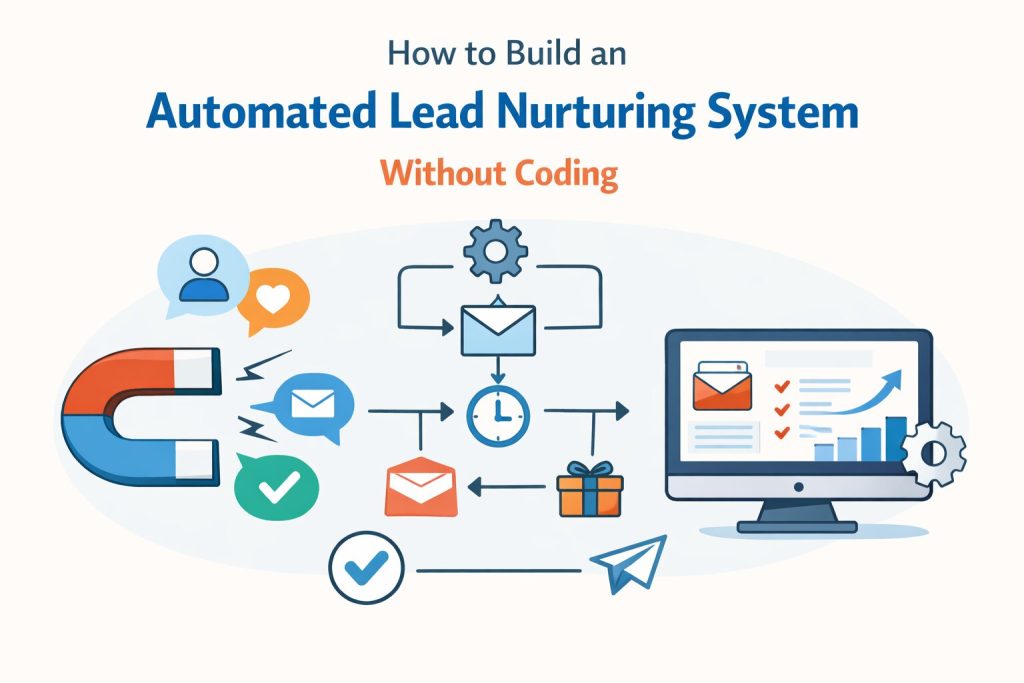
Most small businesses have a lead generation problem. Or at least, that is what they tell themselves. They invest in ads, work on their SEO, post consistently on social media, and build landing pages to capture contacts. Leads come in. And then, for a significant portion of those leads, nothing systematic happens. The business owner means to follow up, and sometimes does. But the follow-up is inconsistent, delayed, or nonexistent for a large portion of the pipeline. The result is a leaky funnel where the problem was never lead volume in the first place. It was follow-up.
Research from the National Sales Executive Association found that 80 percent of sales require at least five follow-up contacts before a prospect is ready to commit. Yet 44 percent of salespeople and business owners give up after a single follow-up attempt. The gap between what follow-up actually requires and what most small businesses provide is enormous, and it is costing real, measurable revenue every single month.
An automated lead nurturing system closes that gap completely. It delivers the right message to every lead, at the right time, at every stage of their decision-making process, without the business owner having to remember, schedule, or manually send a single follow-up email. And in 2026, building this system requires no technical expertise, no developer, and no code. The no-code automation tools available today put this capability within reach of any business owner willing to invest a few focused hours in setting it up. This guide walks you through the complete process from start to finish.
What a Lead Nurturing System Actually Does
A lead nurturing system is an automated sequence of emails that guides a prospect through their buying journey from the moment they first express interest in your business until they are ready to make a decision. Unlike a newsletter sent to your entire list, or a promotional blast announcing a sale, a nurturing sequence is personalised to where the individual lead entered your funnel and triggered by the specific action they took. A prospect who downloads your lead magnet receives a different sequence than one who requests a quote directly. A lead who visits your pricing page triggers a different follow-up than one who reads a blog post. The system responds to intent signals rather than treating all contacts as identical.
The core mechanism that makes nurturing work is timing combined with relevance. Most prospects who enquire about a product or service are not ready to buy immediately. They are gathering information, comparing options, discussing the decision with a partner or manager, or simply waiting for the right moment. During that consideration period, the businesses that stay relevant and helpful maintain top-of-mind awareness. The businesses that go silent after the initial contact are forgotten by the time the prospect is ready to act. A nurturing sequence ensures that you are consistently present throughout that window, delivering value rather than pressure, and positioning your business as the natural choice when the decision is finally made.
Why Automated Nurturing Outperforms Manual Follow-Up
The appeal of manual follow-up is its perceived personalisation. A handwritten email feels more genuine than an automated sequence. This is true in principle, but it ignores the practical reality of how small businesses operate. Manual follow-up applied consistently and at the required frequency across every lead in the pipeline is simply not sustainable for most business owners. It competes with every other operational demand on their time, and it is the first thing to be deprioritised when things get busy, which is precisely when a business is often generating its most leads.
An automated system does not replace the warmth and personalisation of genuine human communication. It provides the structural consistency that ensures every lead receives an appropriate level of follow-up regardless of how busy the business owner is. The best approach combines both: automated sequences handle the consistent touchpoints, and genuine human responses are triggered when a prospect signals high readiness to convert.
What You Need Before You Start Building
Building an automated lead nurturing system does not require technical expertise, but it does require three things to be in place before you begin. The first is a lead capture mechanism, which is the point of entry for new contacts. This might be a form on your website, a landing page built for a specific offer, a lead magnet download, or a social media opt-in connected to your email list. It does not matter what form it takes as long as it collects the contact’s email address and, ideally, their name.
The second requirement is an email marketing or automation tool that can send triggered sequences. This is the engine of your system. It stores your contacts, applies tags or segments based on how they entered your list, and sends the right emails at the right times based on the rules you define. The good news is that every major option in this category has a free tier or an affordable starting plan that is more than capable of supporting a complete nurturing system for a small business.
The third requirement is a planned email sequence. This means knowing what you want to say to your leads, in what order, and at what intervals. Many business owners skip this preparation step and go straight to the platform configuration, which is why their sequences end up feeling disconnected and off-message. Spending time on this planning before touching any software pays dividends in both the quality of the sequence and the speed of the actual build.
Choosing the Right No-Code Tool
For most small businesses building their first nurturing system, the choice of tool comes down to two factors: how much automation complexity you need and what your budget allows. The following options cover the full range of small business needs:
- is the most beginner-friendly option and offers a genuinely capable automation builder on its free tier up to 500 contacts. Its Customer Journeys feature uses a visual drag-and-drop builder that most users can learn in an hour. Mailchimp
- is the step up when you need more sophisticated conditional logic, lead scoring, and CRM integration. Starting at fifteen dollars per month, it is worth the investment for businesses with longer sales cycles or higher-ticket offerings. ActiveCampaign
- provides a free combined CRM and email automation platform that is particularly valuable for businesses that want to track individual prospect interactions beyond just email opens. The free tier is genuinely powerful for small teams. HubSpot CRM
- is designed specifically for creators, coaches, and content-driven businesses. Its visual automation builder and tag-based subscriber management make it intuitive for businesses with multiple lead sources and content types. ConvertKit
- is the strongest value option for businesses with larger lists on tight budgets, offering free sending up to 300 emails per day with full automation capability. Brevo (formerly Sendinblue)
Step 1: Map Your Customer Journey Before Touching Any Tool
The single most important step in building an effective lead nurturing system has nothing to do with software. It is the work you do before opening any platform: mapping the journey your prospect takes from first awareness to becoming a customer. This mapping exercise is what transforms a sequence of emails from a collection of individual messages into a coherent, strategic journey that moves people forward at each stage.
Start by defining the stages your customer moves through. For most businesses, these fall into three or four categories: the awareness stage, where a prospect recognises they have a problem or need; the consideration stage, where they are actively researching solutions and comparing options; the decision stage, where they are evaluating specific providers including you; and the post-decision stage, where you want to reduce buyer’s remorse and encourage referral or repeat purchase. Your nurturing sequence needs to serve each of these stages in turn, not jump straight from introduction to sales pitch.
What to Map at Each Stage
For each stage in the journey, write down two things: the questions or concerns the prospect is most likely to have, and the information or reassurance they need to move forward to the next stage. This exercise typically reveals that the emails most small businesses want to send, which are usually heavily focused on their own offering, are not the emails their prospects most need to receive in the early stages of the sequence.
A prospect in the awareness stage needs to feel understood, not sold to. They need to see that you comprehend their situation and can speak to it with genuine insight. An email that leads with your company credentials and service packages at this stage will be ignored or deleted. An email that articulates the exact challenge they are facing, with specific language they recognise from their own experience, will be read, saved, and forwarded.
- what problem is the prospect trying to solve? What misconceptions might they have? What does a useful, educational message look like at this stage? Awareness stage:
- what are the two or three most important criteria they are using to evaluate options? What objections are they most likely to have? What evidence would address those objections most effectively? Consideration stage:
- what is the final barrier between them and taking action? Is it price, risk, urgency, or something specific about your offering? What single message would remove that barrier most effectively? Decision stage:
Once you have completed this mapping, identify the trigger for entering the sequence. This is the specific action that signals a lead is ready to receive nurturing communications. The most common triggers are a form submission on a contact or enquiry page, a lead magnet download, a pricing page visit combined with a form submission, or a demo or discovery call request. The trigger should reflect genuine intent to learn more, not just any visit to your website.
Step 2: Write Your Email Sequence
With your journey map complete, writing the email sequence becomes a structured exercise rather than a creative challenge. Each email has a defined job based on where it sits in the journey, and knowing that job makes the writing significantly easier. The common mistake at this stage is front-loading the sequence with too many sales messages. The first two to three emails in a nurturing sequence should deliver genuine value and build trust before any direct offer is made.
For most small businesses, a five-email sequence is the right starting point. It is long enough to build meaningful trust and address the most important objections, but short enough to remain manageable to write and simple to optimise once live. Each email should be focused on one message and one action. Avoid loading a single email with multiple links, multiple topics, or multiple calls-to-action. The more choices you give a reader in a single email, the less likely they are to take any of them.
The Five-Email Sequence Framework
The following framework applies to the majority of small business nurturing contexts. Adapt the specific content and timing to your sales cycle and business type, but maintain the underlying logic of each email’s purpose:
- Acknowledge the lead’s action, deliver any promised resource or information, set clear expectations for what they will receive from you, and provide one immediately useful piece of content that demonstrates your expertise. This email should feel like a warm handshake, not a welcome to a sales funnel. Email 1 – The Welcome and Value Delivery (send immediately):
- Address the most common question or misconception held by prospects at the awareness stage. Use this email to demonstrate genuine knowledge of the problem they are trying to solve. No offer. No sales message. Pure value. Email 2 – The Educational Message (send 2 to 3 days later):
- Share a specific customer story, case study, or testimonial that reflects the situation of your target prospect. The most effective social proof features a customer who had the same hesitation your current prospect likely has, and shows how it was resolved. Email 3 – The Social Proof Email (send 4 to 5 days after email 2):
- Directly address the most common reason a qualified prospect does not move forward. Whether it is price, time, uncertainty about fit, or concern about commitment, name the objection honestly and provide a clear, evidence-based response. Email 4 – The Objection Handler (send 3 to 4 days after email 3):
- Make a specific, time-appropriate invitation to take the next step. This might be booking a discovery call, starting a free trial, requesting a quote, or making a purchase. The offer should feel like a natural next step for someone who has followed the sequence, not a sudden shift into sales mode. Email 5 – The Clear Offer (send 3 to 4 days after email 4):
On timing between emails, the right interval depends on your typical sales cycle. For businesses selling lower-ticket products or services where decisions are made quickly, sending every two to three days is appropriate. For higher-ticket offerings or services with longer evaluation periods, five to seven days between emails is more respectful of the prospect’s pace and less likely to trigger fatigue or unsubscribes.
One final technique worth implementing in every email is the postscript, or P.S. line. A brief, conversational P.S. at the end of each email with a soft secondary invitation, such as a question to reply to, a specific page to visit, or a resource to explore, generates micro-engagements that the email platform registers as signals of interest. These signals feed behavioural data that you can later use to identify your most engaged prospects.
Step 3: Build the Automation in Your Chosen Tool
This is the step that most non-technical business owners approach with the most anxiety, and it is also the step that is consistently less intimidating in practice than it appears in advance. Every major email marketing platform now provides a visual automation builder that works as a drag-and-drop flowchart. You are not writing any code. You are drawing a logical sequence of events: a lead enters here, waits this long, receives this email, and then moves to the next step. The platform executes that logic automatically.
The specific navigation varies between platforms, but the fundamental process is identical across all of them. In Mailchimp, navigate to Automations and select Customer Journeys to open the visual builder. In ActiveCampaign, go to Automations and create a new automation from scratch. In HubSpot, navigate to Marketing, then Email, then Workflows. In all three cases, the first thing you will be asked to do is define a trigger, which is the action that enrolls a contact into the sequence.
Setting Up Your Trigger
The trigger is the starting condition for the automation. Select the trigger that matches how your leads enter your system. If leads come through a specific form on your website, use form submission as the trigger. If you are using a lead magnet and adding contacts to a specific list when they download it, use list membership as the trigger. If you want to target contacts who visit your pricing page, some platforms allow page visit triggers when their tracking code is installed on your website.
After defining the trigger, you will add your first email to the automation builder. Most platforms have an Add Email or Send Email block that you drag into the sequence. Within that block, you select or create the email to send. Set the delay for the first email to zero hours or immediately so that the welcome email arrives as close to the form submission as possible. For all subsequent emails, set the delay in days based on the timing you planned in the previous step.
Building Out the Sequence
Continue adding email blocks and delay blocks until all five emails are added to the automation. Each email block connects to a delay block, which connects to the next email block. The visual builder makes the logic of the sequence easy to read at a glance, which also makes it easy to spot any gaps or errors in the flow before the automation goes live.
Before activating the automation, test it by adding a test contact to your list manually and watching the sequence trigger. Verify that the welcome email arrives immediately, that each subsequent email delivers at the correct interval, and that the content of each email is correct. This test takes fifteen minutes and saves the embarrassment of discovering a broken sequence after a hundred real contacts have already entered it.
Step 4: Connect Your Lead Capture to the Automation
The automation you built in the previous step only activates when a contact enters your system with the correct trigger. This step is about connecting all of your lead capture points, your website forms, landing pages, social media lead ads, and any other opt-in mechanisms, to the automation trigger so that every new lead is enrolled in the correct sequence automatically, without any manual action required.
If your lead capture form is built directly inside your email platform, the connection is automatic. A Mailchimp signup form or a HubSpot embedded form is already connected to your contact database and can trigger your automation directly. No additional setup is required beyond specifying which form submission should trigger which automation. For most small businesses starting out, building your lead capture form inside your email platform is the simplest and most reliable approach.
Connecting External Forms and Tools
If your website uses a separate form tool such as Gravity Forms on WordPress, Typeform, or a native form builder on Webflow or Squarespace, you need to connect that form to your email platform. Most major website platforms have direct native integrations with the main email marketing tools, which can be activated in your website settings without any code. Squarespace connects natively to Mailchimp. WordPress has plugins for ActiveCampaign, Mailchimp, HubSpot, and ConvertKit. Webflow has native integrations for all major email tools. Enable the integration, map the form fields to the corresponding contact fields in your email platform, and test with a submission to confirm the contact appears in your list.
For any combination of tools that does not have a native integration, Zapier is the solution. Zapier is a no-code integration platform that connects thousands of applications using simple if-then logic. A zap that triggers when a new form submission is received and adds the contact to a specific list or sequence in your email tool takes approximately ten minutes to set up with no technical knowledge required. A free Zapier account allows a limited number of automated tasks per month, which is typically sufficient for a small business at the early stages of building its nurturing infrastructure.
- Test every connection by submitting a real test entry through each of your lead capture forms and confirming the contact appears in your email platform with the correct tags and is enrolled in the correct automation.
- Create separate automations for different lead entry points if the sequence content should differ, for example: a sequence for enquiry form leads versus a different sequence for lead magnet downloads.
- Document all your integration connections in a simple one-page reference so that future team members or contractors can understand how the system is structured.
Step 5: Add Segmentation and Behavioural Triggers
A basic nurturing sequence sends the same emails to every contact in the same order, regardless of how they behave after entering the sequence. This approach works well as a starting point, but it treats a highly engaged prospect who has opened every email and clicked through to your pricing page the same as someone who has not opened a single message. Adding behavioural segmentation allows your system to respond differently based on intent signals, which meaningfully improves conversion rates without adding unmanageable complexity.
The important thing to understand is that segmentation is an optimisation layer, not a prerequisite. Launch your basic sequence first. Let it run for four to six weeks and gather data on how contacts actually behave. Then add segmentation branches based on what you observe, starting with the highest-impact branch first. Attempting to build a fully segmented system before you have any performance data results in complexity without direction.
The Most Impactful Segmentation Branches
Based on the behaviour data that most small business nurturing sequences reveal, these are the three segmentation branches that deliver the most conversion improvement for the effort required:
- if a contact clicks the link to your pricing page, services page, or booking page in any email within the sequence, redirect them to a faster-moving, conversion-focused sequence rather than continuing the educational cadence. Someone who clicked through to your pricing page after email two does not need to wait for emails three, four, and five of the educational sequence. They are ready for a more direct invitation to take the next step. High-intent click branch:
- if a contact has not opened any of the first three emails, the subject lines are not connecting with them. Rather than continuing to send the same sequence to an unengaged contact, trigger a single re-engagement email with a completely different subject line and angle. This email should acknowledge the silence directly in a friendly way and offer a different kind of value to rekindle interest. Non-opener re-engagement:
- if a contact books a call, makes a purchase, or completes whatever action the sequence is designed to drive, remove them from the nurturing sequence immediately. Continuing to send sales-oriented nurturing emails to someone who has already converted creates a frustrating experience and signals poor system management to the recipient. Conversion exit:
In platforms that support lead scoring, such as ActiveCampaign and HubSpot, you can assign point values to the engagement actions that indicate purchase intent: opening emails, clicking specific links, visiting key pages on your website. When a contact crosses a score threshold that you define as sales-ready, the system can automatically notify you, send a personalised follow-up, or move the contact into a high-priority pipeline. For higher-ticket businesses where individual prospect qualification matters, lead scoring is one of the most powerful capabilities available within no-code automation tools.
What to Measure and How to Improve Your System Over Time
Once your automation is live, your role shifts from builder to optimiser. The system handles the execution automatically. Your job is to review a small set of metrics on a regular basis, identify the weakest point in the sequence, and make one targeted improvement at a time. This iterative approach, applied consistently over three to six months, is what transforms a good nurturing system into a genuinely high-performing one.
Resist the temptation to evaluate performance in the first two weeks. You need enough contacts to have moved through the full sequence before the data is statistically meaningful. For most small businesses, this means waiting until at least fifty contacts have completed the sequence before drawing any firm conclusions about performance. Making changes based on ten or fifteen contacts often leads to optimisations driven by noise rather than signal.
Key Metrics at a Glance
| Metric | Target | What to Do If Off-Target |
|---|---|---|
| Open rate | Target: 25–40% | Low open rate = subject line problem. Rewrite the subject before changing body content. |
| Click-through rate | Target: 2–5% | Good opens but low clicks = weak CTA or unclear offer. Simplify or strengthen the ask. |
| Conversion rate | Varies by business | Primary success metric: what percentage of sequence completers take the desired action? |
| Unsubscribe rate | Target: under 0.5% | High unsubscribes = emails too frequent, too sales-heavy, or misaligned with expectation. |
| Sequence completion | Aim for 60%+ | Low completion = emails going to spam or contacts disengaging early. Check deliverability. |
A Simple Optimisation Rhythm
Rather than reviewing everything at once when something looks wrong, establish a light regular cadence that catches issues before they compound. A monthly review of open rates, click rates, and unsubscribe rates for each email in the sequence takes approximately twenty minutes and surfaces the most actionable improvements. Whenever you identify an underperforming email, change one variable at a time: the subject line first, then the opening paragraph, then the call-to-action. Changing multiple variables simultaneously makes it impossible to know which change caused any improvement.
Every quarter, revisit the sequence from the perspective of your current business positioning. Services change, pricing evolves, and the objections your prospects raise may shift over time. A sequence that was well-aligned with your offering twelve months ago may need a content refresh to reflect how your business has developed. The technology runs on autopilot, but the messaging needs periodic human attention to stay relevant.
Frequently Asked Questions
How long does it take to build an automated lead nurturing system without coding?
Most small business owners can complete the full build across two to three working sessions totalling four to six hours. The longest part is writing the email sequence, which typically takes two to three hours for a first draft of five emails. The automation configuration in tools like Mailchimp or HubSpot generally takes under an hour once you are familiar with the visual builder. The lead capture connection, particularly if using native integrations, takes thirty minutes or less. Plan a full day and you will have a working system live by evening.
What is the best no-code tool for a complete beginner building their first nurturing system?
For absolute beginners, Mailchimp’s free tier is the most accessible starting point because of its clean interface, extensive getting-started guides, and visual Journey Builder. It provides everything needed to build a complete five-email sequence for up to 500 contacts at no cost. For businesses that grow beyond 500 contacts or need more advanced conditional logic, ActiveCampaign at fifteen dollars per month is the most logical next step. HubSpot’s free CRM is the right choice if you also want to track individual prospect interactions in a pipeline view alongside your email automation.
How many emails should a lead nurturing sequence contain?
Five to seven emails is the effective range for most small businesses. Fewer than five often means the sequence ends before the prospect has received enough trust-building content to feel confident making a decision. More than ten emails in a single sequence typically causes fatigue and unsubscribes, particularly if the sales cycle for your product or service is relatively short. If your sales cycle is long, for example a high-ticket consulting service or B2B software, a longer sequence of seven to ten emails spread over several weeks is appropriate and expected by prospects.
Can I build a nurturing system if I currently have a very small email list?
Yes, and you should build it now rather than waiting for your list to grow. A lead nurturing system is designed to convert the leads you are generating today, not to replace list-building activity. Even if you are generating only twenty or thirty new leads per month, a well-structured five-email sequence will meaningfully improve the percentage that become customers. The other advantage of building early is that the system will be mature and optimised by the time your list volume increases, at which point the efficiency gains compound significantly.
What is the difference between a drip campaign and a lead nurturing sequence?
A drip campaign sends a fixed series of emails on a predetermined schedule to every contact on a list, regardless of how they behave. A lead nurturing sequence uses behavioural triggers and segmentation to adapt the journey based on what each contact actually does: which emails they open, which links they click, which pages they visit. A basic nurturing sequence without segmentation is functionally similar to a drip campaign. The distinction becomes meaningful when you add the behavioural branches described in Step 5, at which point the system genuinely responds to intent rather than simply executing a schedule.
Do I need a CRM to build this system?
Not for a basic system. A lead nurturing sequence can be built entirely within an email marketing tool like Mailchimp, ConvertKit, or ActiveCampaign without a separate CRM. A CRM adds value when you need to manage a sales pipeline, track individual prospect conversations across multiple touchpoints, or coordinate follow-up between multiple team members. For solo operators and small teams, starting with email-only automation is the right approach. If your business grows to the point where individual prospect management requires more structure, HubSpot’s free CRM integrates seamlessly with email automation and can be added to the system without rebuilding what you have already created.
How do I stop my automated emails from feeling impersonal or robotic?
Write every email in first person from a specific named individual in the business, not from a company name. Use the recipient’s first name in the opening line but avoid repeating it throughout the email, which feels formulaic. Share genuine stories, specific examples from real client situations, and honest opinions rather than generic marketing language. Set your reply-to address as a monitored inbox so that responses from engaged leads reach a real person. The emails that feel most human are not the ones with the most personalisation fields; they are the ones written with genuine care about the reader’s situation, which no automation tool can replicate but any business owner can write.
Conclusion
A lead nurturing system is one of the highest-leverage investments a small business owner can make in their marketing infrastructure. You build it once, in a few focused hours, and it operates indefinitely without requiring daily attention. Every lead that enters your funnel receives consistent, well-timed, relevant follow-up regardless of how busy you are, how many other priorities are competing for your attention, or how long their consideration period turns out to be.
The tools required are accessible, affordable, and designed specifically for people without technical backgrounds. The process is logical and sequential. The results, for businesses that implement it properly and give the system time to gather data and improve, are consistently meaningful: higher conversion rates from existing lead volume, shorter sales cycles for prospects who receive structured education and trust-building communications, and a marketing operation that works while the business owner focuses on delivery rather than follow-up.
Start with Step 1 today. Map your customer journey on paper before opening any software. That single exercise will clarify every subsequent decision in the build process and ensure that the system you create is genuinely aligned with how your customers actually buy, rather than how you hope they will respond to a generic email sequence. The technology is ready. The only remaining variable is whether you build the system this week or continue handling follow-up manually.