
Artificial Intelligence (AI) has moved far beyond being a futuristic buzzword—it is now a practical engine that powers productivity across every industry. From automating repetitive tasks to providing insights, generating content, or even orchestrating business workflows, Artificial Intelligence is transforming how professionals work.
Today’s professionals—marketers, engineers, executives, students, and freelancers alike—have access to AI tools that save time, cut costs, and help them focus on what really matters: strategic, creative, and high-value work.
This article presents the ultimate categorized list of AI productivity tools, with detailed descriptions, pros, and cons for each. Whether you are a content creator, a project manager, or a business leader looking for growth, this comprehensive guide will show you the right tools to enhance your productivity.
1. AI Chatbots
1.1 ChatGPT
ChatGPT is one of the most widely used AI assistants, capable of answering questions, drafting content, generating code, and even helping with brainstorming. It integrates seamlessly with various workflows, making it a versatile companion for both individuals and businesses.
| Pros | Cons |
| Versatile across multiple use cases (content, coding, brainstorming) | Can sometimes produce inaccurate or outdated information |
| Easy to use and widely accessible | Requires a paid plan for access to advanced models |
| Large ecosystem of integrations | Responses may lack depth in highly technical domains |
1.2 Claude
Claude, developed by Anthropic, focuses on safe and ethical AI assistance. It’s particularly valued by teams that prioritize compliance and responsible AI use.
| Pros | Cons |
| Strong emphasis on safe and ethical AI | Less integrated ecosystem compared to ChatGPT |
| User-friendly interface | Not as widely adopted for third-party apps |
| Good for summarization and structured tasks | Limited customization options |
1.3 Meta AI
Meta AI, integrated into platforms like Facebook, WhatsApp, and Instagram, is designed for social interactions, recommendations, and personal assistance.
| Pros | Cons |
| Integrated directly into popular Meta products | Focused more on consumer use than enterprise |
| Good at casual conversations and entertainment | Not ideal for complex business tasks |
| Free to use for basic features | Limited transparency on data use |
1.4 Zapier AI Agents
Zapier AI Agents extend the power of workflow automation by adding an intelligent, conversational layer. They can handle tasks across thousands of apps, triggered by natural language requests.
| Pros | Cons |
| Powerful automation with AI reasoning | Requires setup and familiarity with Zapier |
| Works with 6,000+ integrations | Paid plans can be expensive for teams |
| Saves time on repetitive workflows | Limited for highly creative tasks |
2. AI Search Engines
2.1 Perplexity AI
Perplexity AI blends search with AI conversation, giving users direct answers with citations instead of long lists of links.
| Pros | Cons |
| Provides cited sources for transparency | Still developing compared to Google’s ecosystem |
| Excellent for research and fact-checking | Sometimes surfaces repetitive results |
| Clean, user-friendly interface | Limited personalization features |
2.2 Google AI Overviews
Google’s AI Overviews present AI-generated summaries directly in search results, reducing time spent sifting through links.
| Pros | Cons |
| Integrated into the world’s most popular search engine | Accuracy can vary depending on topic |
| Speeds up research dramatically | Still rolling out in select markets |
| Contextual summaries save time | May reduce traffic to original websites |
2.3 Arc Search
Arc Search offers a privacy-focused, AI-powered browsing experience that builds custom summaries and insights for users.
| Pros | Cons |
| Prioritizes privacy and clean browsing | Niche user base compared to Google |
| Creates summarized “content pages” from sources | Can miss niche results in some cases |
| Great UI and modern experience | Still maturing in terms of features |
3. Content Creation Tools
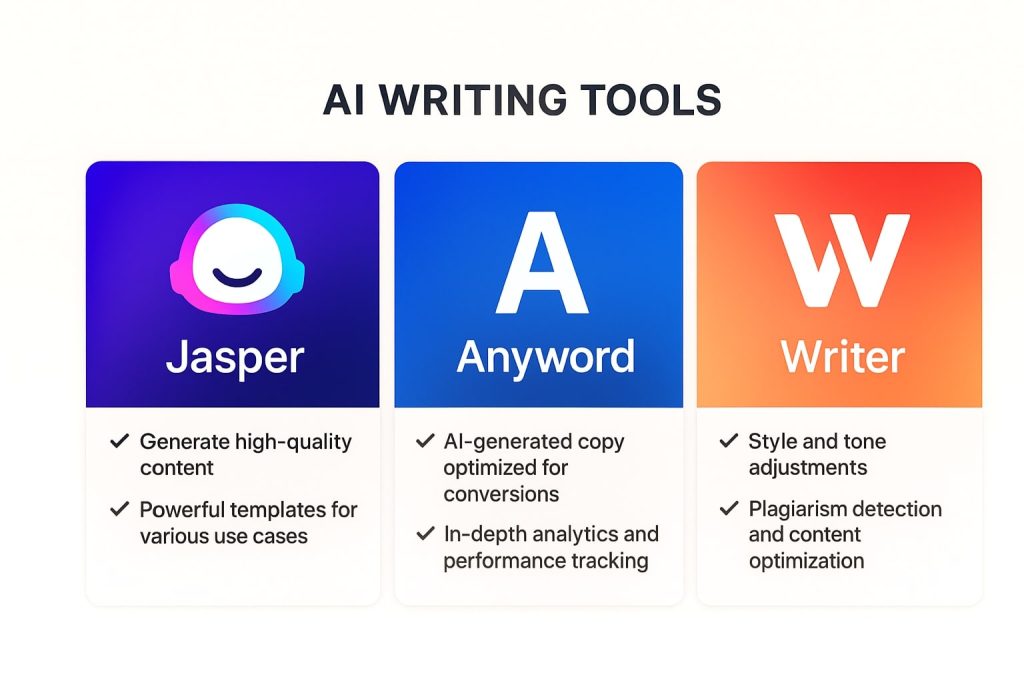
3.1 Jasper
Jasper specializes in AI-driven marketing copy and content creation, designed for teams that need blogs, ad copy, or website text.
| Pros | Cons |
| Tailored for marketers and brands | Subscription cost may be high for freelancers |
| High-quality templates for copywriting | Can sound formulaic if overused |
| Collaboration-friendly for teams | Requires human editing for polish |
3.2 Anyword
Anyword is focused on performance-driven content, providing predictive analytics to show how text will perform with specific audiences.
| Pros | Cons |
| Offers predictive scoring for content | Less creative than Jasper |
| Great for ads and sales copy | Primarily text-focused, fewer visual features |
| Data-backed recommendations | Not ideal for broader content strategies |
3.3 Writer
Writer is an enterprise-grade AI writing assistant that emphasizes compliance and brand voice alignment.
| Pros | Cons |
| Ensures brand consistency | Geared toward large teams |
| Secure and private (enterprise-ready) | May be too expensive for individuals |
| Integrates with productivity tools | Requires training for custom results |
4. Grammar Checkers & Rewording Tools
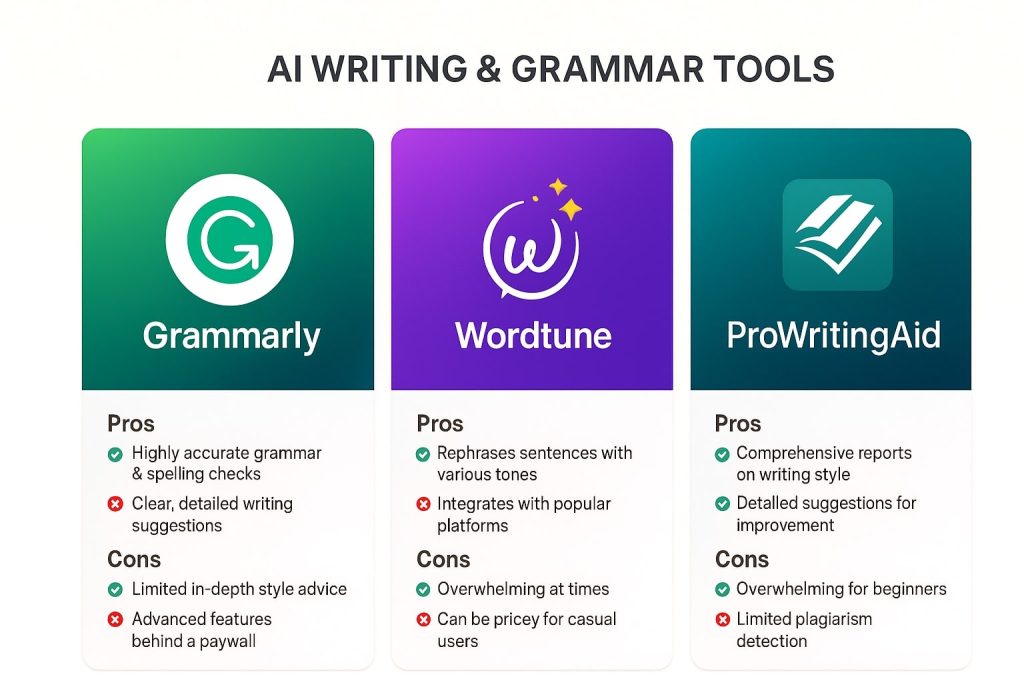
4.1 Grammarly
A household name, Grammarly offers grammar correction, rewording suggestions, and tone detection.
| Pros | Cons |
| Excellent grammar and spelling correction | Can be intrusive in some editors |
| Tone and clarity suggestions | Premium plan required for advanced checks |
| Widely integrated into browsers and apps | Style can sometimes feel rigid |
4.2 Wordtune
Wordtune is designed for sentence rephrasing and stylistic improvement, making text clearer and more engaging.
| Pros | Cons |
| Great at paraphrasing | Limited grammar checking compared to Grammarly |
| Improves flow and readability | Needs premium for advanced features |
| Easy browser extension | Smaller ecosystem |
4.3 ProWritingAid
ProWritingAid provides in-depth writing analysis including structure, pacing, and readability checks.
| Pros | Cons |
| Detailed feedback beyond grammar | Can overwhelm beginners with data |
| Great for long-form writers (novels, reports) | Interface less sleek than Grammarly |
| Affordable for premium features | Slower performance on large texts |
5. Video Creation & Editing Tools
5.1 Tagshop AI
Tagshop AI is an AI video ad generator designed for brands, agencies, and marketers to create video ads at scale. It creates high-performing video ads with realistic AI avatars, natural voice-overs, accurate lip-sync, and platform-optimized formats.
| Pros | Cons |
| AI Video Ads Creation | Limited credits are available in the free plan. |
| Text-to-video feature | The AI twin feature can’t be used in the free plan. |
| AI Twins with Real Voice | – |
5.2 Descript
Descript allows you to edit video and audio by editing text, making it beginner-friendly.
| Pros | Cons |
| Simple, text-based editing | Advanced editors may find it limiting |
| Includes transcription and overdubbing | Rendering can be slow |
| Affordable for teams and creators | Limited high-end editing features |
5.3 Wondershare Filmora
Filmora provides easy-to-use AI editing tools, templates, and effects for quick video production.
| Pros | Cons |
| Beginner-friendly | Lacks pro-grade customization |
| Affordable | Some features behind paywalls |
| Fast learning curve | Not ideal for cinematic projects |
6. Image Generation Tools
6.1 MidJourney
MidJourney is a leading AI tool for high-quality, artistic image generation.
| Pros | Cons |
| Produces stunning, creative visuals | Requires Discord for usage |
| Popular with designers and creatives | Not free |
| High customization with prompts | Can take time to master |
6.2 Ideogram
Ideogram focuses on AI-generated text within images, perfect for marketing visuals.
| Pros | Cons |
| Strong typography generation | Less versatile than MidJourney |
| Great for ads and branded graphics | Still maturing as a tool |
| Easy for non-designers | Limited artistic range |
7. Social Media Management Tools
7.1 FeedHive
FeedHive helps businesses automate posting, track engagement, and optimize social content.
| Pros | Cons |
| Smart scheduling with AI recommendations | Smaller ecosystem vs Buffer |
| Great analytics | Limited free plan |
| Optimized for engagement | Requires some setup |
7.2 Vista Social
Vista Social is a full-service social management platform with AI features like post optimization.
| Pros | Cons |
| Covers scheduling, listening, and analytics | Interface can be overwhelming |
| Multi-channel support | Not as polished as enterprise tools |
| Affordable pricing | Some features still basic |
7.3 Buffer
Buffer remains a reliable tool for social media scheduling and performance tracking.
| Pros | Cons |
| Simple and user-friendly | Fewer AI-native features |
| Great for small teams | Limited analytics depth |
| Affordable | Advanced features in paid tiers |
8. Voice & Music Generation Tools
8.1 ElevenLabs
ElevenLabs is known for its high-quality AI voice generation.
| Pros | Cons |
| Natural-sounding voices | Expensive for high usage |
| Wide customization | Voice cloning raises ethical concerns |
| Great API support | Requires technical setup |
8.2 Suno
Suno allows users to generate AI music for content, ads, or personal projects.
| Pros | Cons |
| Quick music generation | Quality varies |
| Easy for non-musicians | Limited for pro-grade production |
| Affordable | Music may sound generic |
8.3 AIVA
AIVA specializes in AI-generated classical and cinematic music.
| Pros | Cons |
| Tailored for film/game scoring | Less useful for casual creators |
| Generates complex arrangements | Paid plans required for advanced use |
| Great for professionals | Limited in modern pop/rock |
9. Knowledge Management Tools
9.1 Mem
Mem is a self-organizing note-taking tool enhanced with AI search and recall.
| Pros | Cons |
| Automatic organization | Can feel too automated for some |
| Easy retrieval of info | Smaller user base than Notion |
| Great for personal productivity | Less team-oriented |
9.2 Notion AI Q&A
Notion AI adds AI-driven insights and summarization within Notion workspaces.
| Pros | Cons |
| Seamless with Notion | Requires paid plan for advanced AI |
| Great for teams and docs | Can produce generic summaries |
| Good for brainstorming | Not standalone |
9.3 Personal AI
Personal AI focuses on creating a memory layer for individuals, storing knowledge and assisting in conversations.
| Pros | Cons |
| Personalized assistant | Requires consistent training |
| Retains context across conversations | Can raise privacy concerns |
| Helps recall past information | Less useful for teams |
9.4 Upscaleix YouTube Video Summarizer
The YouTube Video Summarizer by Upscaleix condenses long-form video content into short, digestible summaries for quicker knowledge retention.
| Pros | Cons |
| Saves time for professionals and students | May miss subtle context |
| Useful for research and education | Dependent on video transcription accuracy |
| Simple and effective | Limited customization |
10. Task & Project Management Tools
AI tools are revolutionizing how teams collaborate, manage tasks, and deliver projects. Instead of manually tracking tasks, deadlines, and updates, AI-enabled platforms automate reminders, predict bottlenecks, and optimize workflows.
10.1 ClickUp AI
ClickUp is already known as a comprehensive project management platform, and its AI features add another layer of productivity. From automatically generating task descriptions to drafting project briefs, ClickUp AI saves time across team operations.
| Pros | Cons |
| Wide range of project management features | Can feel overwhelming for new users |
| AI-powered summaries and task automation | Premium plan required for AI tools |
| Customizable for different industries | Setup can be time-consuming |
10.2 Motion
Motion uses AI to create dynamic daily schedules by analyzing tasks, deadlines, and availability. It automatically reorganizes schedules when priorities shift.
| Pros | Cons |
| Automates scheduling and task planning | Less useful for very large teams |
| Reduces procrastination with optimized calendars | Requires consistent input to be effective |
| Great for freelancers and individuals | Subscription pricing may deter casual users |
10.3 Taskade
Taskade combines task management with real-time collaboration, offering AI tools for brainstorming, outlining, and project planning.
| Pros | Cons |
| Simple, collaborative design | Not as feature-rich as enterprise tools |
| Built-in AI templates for workflows | Limited customization in free version |
| Affordable and easy to adopt | Lacks advanced reporting |
11. AI Meeting Tools
Meetings can consume a large portion of professional time. AI meeting assistants now handle note-taking, summarization, and action item tracking, ensuring nothing is lost while freeing participants to focus on discussion.
11.1 Otter.ai
Otter.ai offers real-time transcription and meeting summaries, making it a favorite among professionals.
| Pros | Cons |
| High transcription accuracy | Limited free tier |
| Summarizes meetings with action items | May struggle with strong accents |
| Integrates with Zoom, Google Meet, etc. | Requires internet for real-time use |
11.2 Fireflies.ai
Fireflies.ai provides AI-powered transcription, searchable meeting notes, and analytics across multiple platforms.
| Pros | Cons |
| Works across many meeting platforms | May record unnecessary content |
| Easy to share meeting notes | Free version limited in storage |
| Searchable transcripts for knowledge retention | Accuracy varies with audio quality |
11.3 MeetGeek
MeetGeek focuses on AI meeting insights by generating highlights, summaries, and engagement analytics.
| Pros | Cons |
| Provides actionable meeting insights | Not as widely known as Otter |
| Time-saving automatic notes | Requires integration setup |
| Affordable for small teams | Limited offline functionality |
12. Resume & Career Tools
AI is helping job seekers and professionals refine their personal branding. From writing resumes to planning career paths, these tools reduce guesswork and increase opportunities.
12.1 Upscaleix Resume Enhancer
The Resume Enhancer helps professionals optimize their resumes with AI-driven suggestions on wording, structure, and keyword alignment.
| Pros | Cons |
| ATS-friendly formatting | Suggestions may feel generic without customization |
| Tailored keyword optimization | Works best with active user input |
| Saves time for job seekers | Limited advanced design features |
12.2 Upscaleix Career Roadmap Generator
This tool builds a personalized step-by-step career roadmap based on a user’s target role, identifying skills, resources, and progression milestones.
| Pros | Cons |
| Highly personalized | May oversimplify complex career paths |
| Useful for both students and professionals | Requires clarity on goals from users |
| Free to use | Limited real-time job market data |
12.3 Rezi
Rezi is an AI-powered platform for resume and cover letter creation, designed to help users pass Applicant Tracking Systems (ATS).
| Pros | Cons |
| ATS-optimized resumes | Limited design customization |
| User-friendly editor | Paid tiers required for advanced features |
| Includes cover letter templates | May not suit creative industries |
13. AI Coding Tools
Software developers are leveraging AI tools to write, debug, and optimize code. These assistants improve efficiency, reduce errors, and accelerate learning.
13.1 GitHub Copilot
GitHub Copilot, powered by OpenAI Codex, suggests real-time code completions inside IDEs.
| Pros | Cons |
| Speeds up coding significantly | Can suggest incorrect or insecure code |
| Integrates with VS Code, JetBrains, etc. | Requires human oversight |
| Great for beginners and experts alike | Paid subscription required |
13.2 Replit Ghostwriter
Replit Ghostwriter provides in-browser code generation and debugging tailored for collaborative coding environments.
| Pros | Cons |
| Works directly in browser | Requires stable internet connection |
| Great for pair programming | Limited support for niche languages |
| Affordable for learners | Not as advanced as IDE-based AI tools |
13.3 Tabnine
Tabnine delivers AI code completions with a strong emphasis on privacy and on-device learning.
| Pros | Cons |
| Supports private codebases | Less powerful than Copilot in creativity |
| Secure and privacy-focused | Paid plans needed for team use |
| Works with multiple IDEs | Requires training for best results |
14. AI Design Tools
AI design tools simplify and accelerate creative tasks, from logo creation to visual storytelling.
14.1 Canva Magic Studio
Canva integrates AI into its design suite, allowing users to generate templates, visuals, and copy with ease.
| Pros | Cons |
| User-friendly interface | Can feel basic for professional designers |
| Wide template library | Premium needed for many features |
| Fast for non-designers | Output can lack uniqueness |
14.2 Adobe Firefly
Adobe Firefly provides AI-generated images and design elements, integrated into Adobe Creative Cloud.
| Pros | Cons |
| High-quality professional output | Requires Adobe subscription |
| Ideal for creative professionals | Learning curve for new users |
| Seamless integration into workflows | Still limited compared to MidJourney |
14.3 Looka
Looka specializes in logo and brand kit generation with AI.
| Pros | Cons |
| Quick brand identity creation | Limited customization after generation |
| Affordable for startups | Not ideal for established businesses |
| Simple interface | Design uniqueness may vary |
15. AI Note-Taking Tools
AI note-taking tools transform how students, researchers, and professionals capture, organize, and recall information.
15.1 Obsidian + AI Plugins
Obsidian is a powerful note-taking tool enhanced with AI-driven summarization and idea connections through plugins.
| Pros | Cons |
| Excellent for knowledge networks | Requires setup and customization |
| Supports local storage | Steep learning curve |
| Community-driven ecosystem | Plugins vary in quality |
15.2 Reflect AI
Reflect AI emphasizes private, secure note-taking with AI assistance.
| Pros | Cons |
| Privacy-first | Smaller ecosystem |
| Simple, distraction-free interface | Limited formatting options |
| AI recall and summarization | Subscription required |
15.3 Evernote with AI Updates
Evernote has added AI-powered search and summarization, revitalizing its classic note-taking ecosystem.
| Pros | Cons |
| Mature and stable platform | Free version limited |
| Strong integrations | Some users report syncing issues |
| AI features improve usability | Less modern than newer apps |
16. AI Translation Tools
Language barriers are no longer a major hurdle with AI-driven translation and interpretation solutions.
16.1 DeepL
DeepL is known for its highly accurate translations, especially for European languages.
| Pros | Cons |
| More accurate than Google Translate in many cases | Limited supported languages |
| Natural phrasing | Free tier capped |
| Great for professionals | Not as broad in coverage as Google |
16.2 Google Translate with AI
Google Translate continues to evolve with neural machine translation and AI context improvements.
| Pros | Cons |
| Supports 130+ languages | Less accurate for complex texts |
| Integrated into many apps | Quality varies widely |
| Free and accessible | Offline mode less powerful |
16.3 iTranslate
iTranslate provides translation, dictionary, and voice interpretation features.
| Pros | Cons |
| Useful for travelers | Premium required for voice mode |
| Simple and mobile-friendly | Accuracy depends on language pair |
| Includes offline mode | Not ideal for professional documents |
Conclusion
AI productivity tools now cover virtually every professional category—from content writing and video creation to resume building, project management, and even career planning. Each tool comes with its unique strengths and trade-offs, meaning the right choice depends on your goals, workflow, and budget.
By adopting these tools, professionals can automate repetitive tasks, enhance creativity, and focus on impactful work. Whether you’re a student preparing for your career, a manager leading a team, or a creator producing content, the AI tools in this guide provide a clear pathway to doing more in less time.