
B2B sales, recruiting, partnership, and marketing teams often search for professional emails by company domain to reach the right people inside target organizations. This approach is different from indiscriminate personal data scraping, which collects large amounts of unrelated or unnecessary information without a clear business purpose. Responsible email discovery focuses only on relevant professional contacts and limits the data collected to what is needed for legitimate outreach. A practical workflow starts by confirming the company’s official domain, identifying the most relevant role or decision-maker, finding the likely business email, verifying that the address is valid, and using it in a clear, respectful, and responsible way.
What does it mean to find emails by company domain?
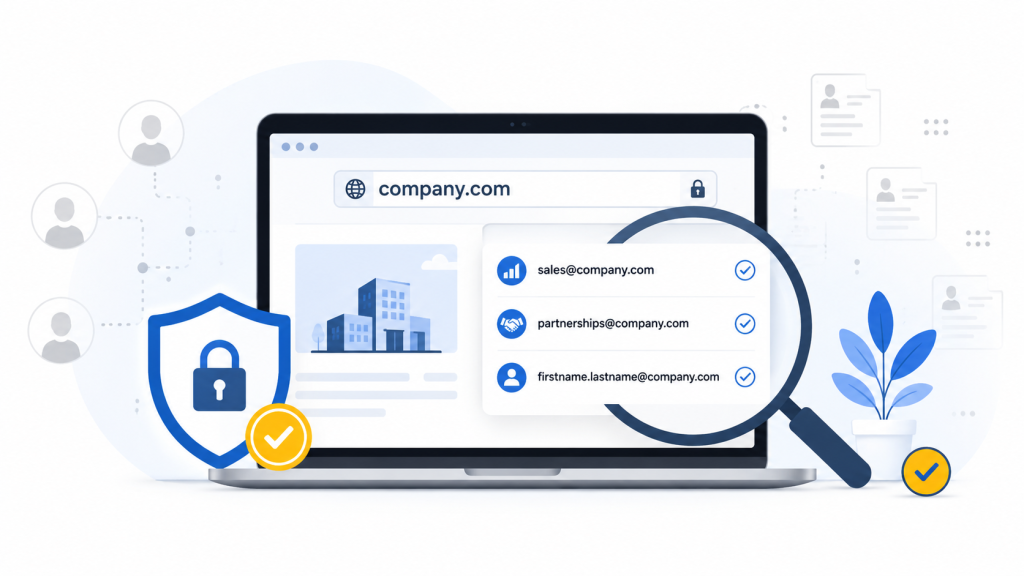
A company domain is the web address an organization uses for its website and professional email accounts, such as company.com. Domain-based email discovery uses this identifier to locate business email addresses connected to that organization.
There are several ways to do this. Domain Search returns professional contacts associated with a company domain, often with filters for job title, department, location, or seniority. A name-and-domain Email Finder is more targeted: you enter a person’s name and the company domain to find one likely business address. Email pattern discovery identifies the format a company uses, such as firstname.lastname@company.com, and applies it to a known employee.
These methods serve different needs, but the goal should remain the same: find the most relevant professional contact for a clear B2B purpose. It should not be used to collect unnecessary personal information or build large lists of every employee at a company.
How Snov.io can help find business emails by domain
Snov.io helps B2B teams find professional contacts without manually collecting information from personal profiles. With Domain Search, users can enter a verified company domain and discover business email addresses connected to that organization. Filters make it easier to narrow the results by role, department, location, or seniority, so teams can focus on contacts relevant to a specific campaign.
When the right decision-maker is already known, Snov.io Email Finder can locate a likely professional address using the person’s name and company domain. For larger projects, bulk email finder can process an approved list of target companies and return relevant business contacts at scale.
Before outreach, Email Verifier checks addresses to help identify valid, invalid, catch-all, or uncertain results. Verified contacts can then be organized into prospect lists and added to personalized outreach sequences.
This workflow offers a more targeted alternative to browsing and copying data from multiple personal profiles. However, users should still apply data-minimization principles, collect only the information needed for a clear B2B purpose, verify contact relevance, respect opt-outs, and follow applicable privacy and email marketing rules.
How to find emails from company domains without scraping personal data
A responsible domain-based email search should be narrow, intentional, and focused on a clear business purpose. Instead of collecting as many contacts as possible, start with the company, identify the most relevant person or department, and use the least intrusive method available. The following steps move from public company information to more targeted email discovery while keeping data collection limited and relevant.
1. Check the company’s official website
The company website is the most logical place to begin because the information there has usually been published intentionally for business communication. Review the Contact, About, Team, Press, Partners, Careers, and Support pages for relevant details. You may find a named business contact, a department email address, or a form designed for a specific request. Press pages may list media contacts, while partnership or careers pages may direct inquiries to the appropriate team. Focus only on contacts related to your purpose. Avoid collecting employee details from unrelated pages simply because they are publicly visible.
2. Look for role-based email addresses
Role-based addresses such as sales@company.com, partnerships@company.com, press@company.com, and careers@company.com are useful when your message concerns a department rather than one specific employee. For example, a general partnership proposal may be more appropriate for a partnerships inbox than for an individual manager. These addresses can reduce the need to identify and store personal contact information. However, they are less suitable when your message requires a specific decision-maker or detailed personalization. Choose the inbox that most closely matches the purpose of your request.
3. Use a domain email search tool
A domain email search tool can help identify professional contacts associated with a company. Start by entering the verified company domain, then narrow the results using filters such as job title, department, location, or seniority. Review the available source information, verification status, and confidence score before selecting a contact. These signals help distinguish stronger results from uncertain or outdated ones. Export only the people who are relevant to your outreach rather than downloading the entire company directory. Prioritize corporate email addresses linked to the company domain and avoid personal accounts unless the person has deliberately provided one for business communication.
4. Search by name and company domain
Use a name-and-domain search when you already know who the relevant decision-maker is. Enter the person’s full name together with the confirmed company domain to locate a likely professional email address. This method is more targeted than collecting a complete employee list because it focuses on one person whose role is directly connected to your request. Even when a tool returns a likely match, do not assume the address is active or accurate. A generated or predicted email should always be verified before it is added to an outreach campaign.
5. Identify the company email pattern
Many companies use consistent email formats, such as firstname@company.com, firstname.lastname@company.com, or firstinitiallastname@company.com. You can identify the likely pattern by reviewing one or more confirmed professional addresses from the same organization. Once the format is clear, apply it only to employees who are relevant to your business purpose. Keep in mind that companies may use exceptions, aliases, or different formats for certain teams. A pattern-based result should therefore be treated as a possible address rather than a verified one.
6. Use targeted search engine queries
Search engines can help locate professional contact information that is already publicly indexed. Useful queries include site:company.com “@company.com”, “First Last” “@company.com”, and site:company.com “partnerships”. Keep each query focused on a specific role, person, or department instead of searching broadly for every available address. Use only information published for legitimate business purposes. Avoid exposed databases, leaked files, private documents, or sensitive records, even if they appear in search results.
7. Contact the company directly
When no reliable email is publicly available, contact the company through a general inbox, website form, or professional social channel. Briefly explain your request and ask who manages the relevant department or topic. This may take longer than using an email finder, but it can be the safest and most accurate option. It also reduces the risk of contacting the wrong person or relying on an outdated address.
Verify company emails before outreach
Company email patterns and generated addresses are not always accurate. Employees change roles, businesses switch domains, and naming conventions may differ across teams or locations. Before sending an email, verify the address through several checks.
A proper verification process should include a syntax check, domain and MX record validation, mailbox verification, catch-all detection, disposable email detection, role-based email identification, and duplicate removal. These steps help confirm whether an address is correctly formatted, whether the domain can receive email, and whether the mailbox is likely to exist.
Verification also helps separate stronger results from uncertain ones. For example, catch-all domains may accept messages without confirming that a specific mailbox is active. Role-based addresses may be valid but less suitable for personalized outreach.
Email verification reduces bounce risk and protects sender reputation, but it does not create permission to contact someone. The message must still be relevant, transparent, and compliant with applicable outreach and privacy rules.
Privacy-first practices for email discovery
Collect only necessary information
Keep only the data needed for a clear business purpose:
- name;
- job title;
- company;
- professional email;
- source;
- verification status;
- outreach or opt-out status.
Avoid sensitive or unrelated data
Do not collect personal emails, home addresses, private phone numbers, family details, or health, political, religious, and other sensitive information. These details are unnecessary for most B2B outreach and increase privacy risk.
Record the source
Note whether the email came from the company website, a domain search tool, a public business directory, or direct communication. Source records make it easier to review accuracy, respond to questions, and manage deletion requests.
Delete unnecessary data
Regularly remove outdated, irrelevant, invalid, duplicate, and opted-out contacts. Do not keep prospect information indefinitely when it is no longer needed for the original business purpose.
Conclusion
Finding business emails does not require collecting large volumes of personal data or building broad employee lists. A safer process starts with accurate company domain identification, continues with role-based targeting and professional email discovery, and includes verification before any outreach begins. It also requires clear relevance, transparent messaging, and reliable opt-out handling.
In practice, a smaller list of well-matched contacts is more valuable than a large database of uncertain addresses. Tools such as Snov.io can support this workflow by helping teams find and verify professional contacts while keeping the search focused on relevant company information rather than unnecessary personal data.